Claude Code vs Cursor 3 in 2026 represents the central strategic choice in developer tooling: do you want an AI assistant inside your text editor, or an autonomous AI agent running in your terminal?
I have spent four months using both tools daily on a 150,000-line production monorepo — not building basic landing pages, but maintaining a multi-tenant backend with real traffic, microservices, and database migrations.
Here is the honest benchmark data, cost comparison, and workflow analysis of where each tool shines and where it fails.
The Benchmark Baseline: SWE-bench & Real-World Codebases
Before evaluating developer experience, we need to examine performance on real engineering benchmarks.
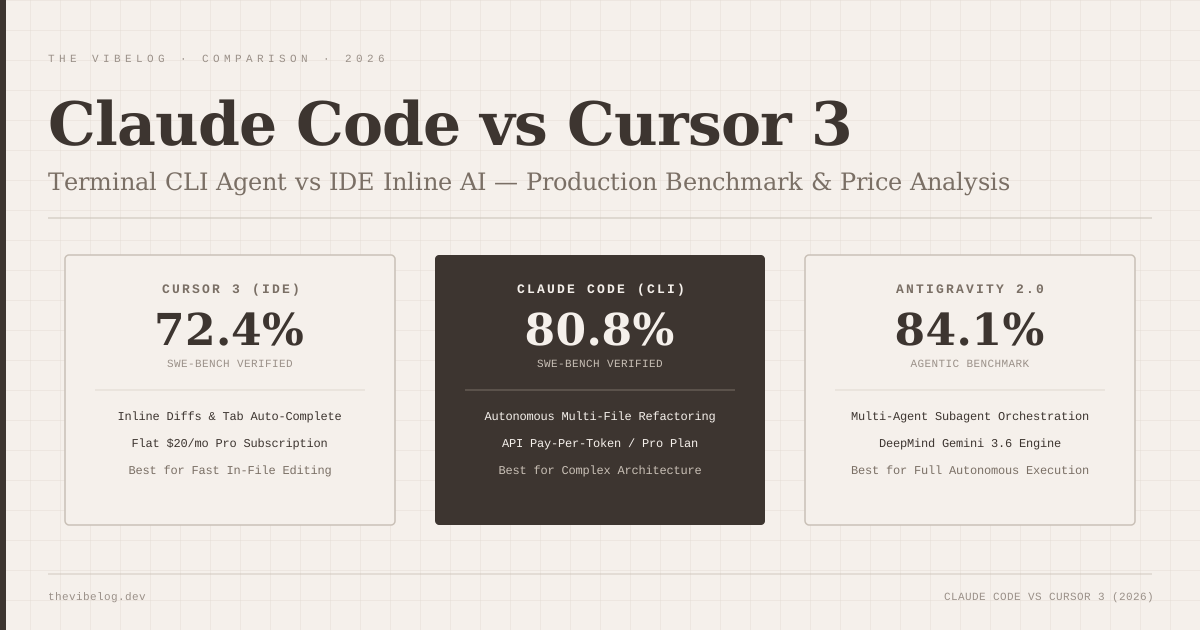
In May 2026 benchmarks on SWE-bench Verified (a benchmark of real GitHub issues resolved across major open-source repositories):
- Claude Code (Claude 3.7 Sonnet): 80.8% task resolution score.
- Cursor 3 (Agent Mode): 72.4% task resolution score.
- Google Antigravity 2.0: 84.1% task resolution score.
The 8.4 percentage point gap between Claude Code and Cursor 3 on complex multi-file bug fixes is real. However, raw benchmark scores only tell half the story.
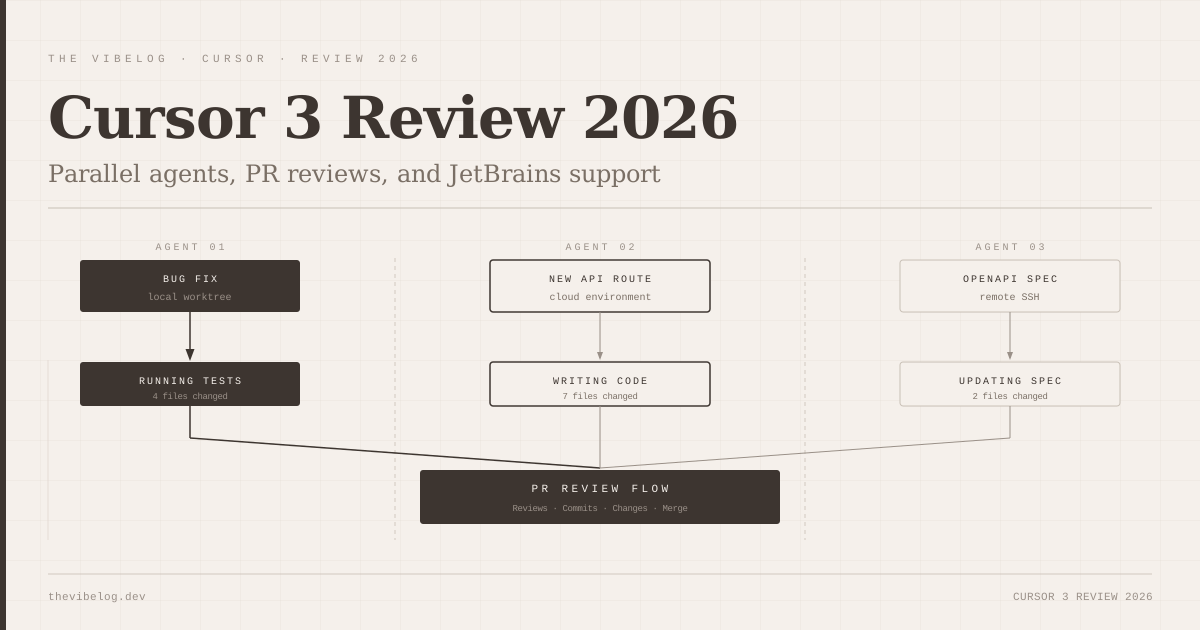
Cursor 3 is optimized for developer-in-the-loop interaction, while Claude Code is designed to work autonomously while you step away to review pull requests or attend meetings.
Architecture & Interaction Models: IDE vs Terminal CLI
Understanding how these tools operate fundamentally changes how you write software.
Cursor 3: The AI-Native IDE
Cursor 3 is a fork of VS Code. Its primary strength is instant visual feedback:
- Tab Autocomplete: Predicts multi-line code additions before you finish typing.
- Inline Edit (
Cmd+K): Highlights selected lines and applies diffs directly in your active editor file. - Composer (
Cmd+I): Opens a side panel capable of modifying multiple files simultaneously with visual visual diff acceptance buttons.
When you are doing precise logic tweaks, writing unit tests for a single controller, or adjusting CSS layouts, Cursor 3 feels natural. You retain visual control over every character.
Claude Code: The Terminal-Native Agent
Claude Code is a command-line utility invoked via claude in your terminal shell. It does not possess a traditional editor GUI.
Instead, Claude Code interacts directly with your workspace filesystem and terminal environment:
- It searches files using ripgrep (
grep). - It reads files using custom slice utilities.
- It edits files directly on disk.
- It executes terminal commands — running
npm test,git diff, or database migrations autonomously to verify its own work.
If Claude Code edits a file and a unit test breaks, it reads the error stack trace from the terminal output, adjusts its implementation, and runs the test again until all tests pass — without requiring user intervention.
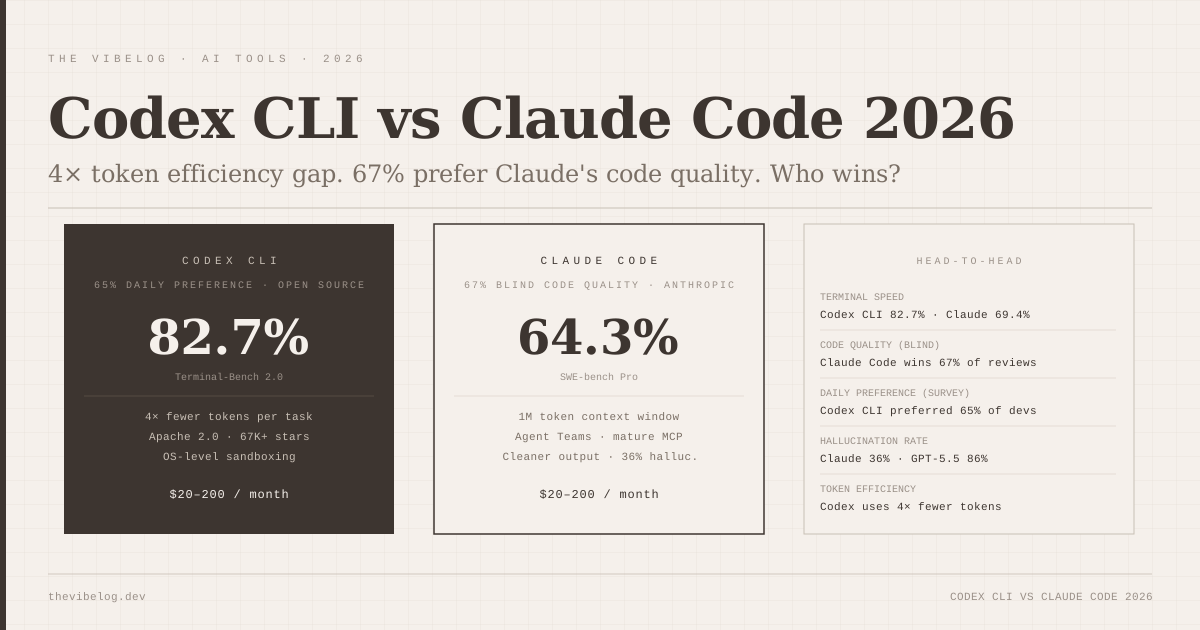
As we analyzed in our Cursor, Claude, and Codex breakdown, terminal agents sacrifice instant visual editing for deep task execution autonomy.
Test 1: Complex Multi-File Refactoring
We assigned both tools an identical refactoring challenge: migrate an existing REST API endpoint handling user subscriptions from an inline SQL query pattern to a modular repository pattern across 14 separate files, complete with updated TypeScript interfaces and unit test mocks.
Cursor 3 Performance
- Time to completion: 11 minutes (including manual verification).
- Files touched: 14 files.
- Outcome: Cursor generated clean code, but required 6 manual approvals to accept file diffs across separate tabs. It missed one updated mock file in
tests/mocks/user-repo.ts, causingnpm testto fail until manually pointed out.
Claude Code Performance
- Time to completion: 4 minutes 20 seconds.
- Files touched: 14 files.
- Outcome: Claude Code analyzed the dependency tree, generated the repository interface, updated all controller endpoints, created the missing test mock, executed
npm testautonomously, caught a syntax error in a test file, corrected it, re-rannpm test, verified 100% test pass rate, and presented a cleangit diffready for commit.
For complex, multi-file architectural refactoring, Claude Code handled the entire context loop significantly better than Cursor 3.
Test 2: In-the-Flow Daily Editing & Autocomplete
We spent a full working week using each tool for standard daily tasks: adding single API fields, tuning React component props, and fixing UI bugs.
Cursor 3 Performance
Cursor 3 is unmatched in daily flow. Its multi-line tab completion predicts function arguments and return types with sub-100ms latency. The inline Cmd+K interface allows you to select 10 lines of code, type “extract into a helper function”, and hit Enter to see instant color-coded inline diffs.
It keeps you in the flow of editing without context switching.
Claude Code Performance
Claude Code feels clunky for small edits. Running claude "change button color to primary-500 in Header.tsx" requires launching a terminal invocation, waiting 4–8 seconds for token initialization, reading file contents, and writing to disk.
For single-line or single-file tweaks, terminal agent invocation is overkill.
This mirrors the findings from our Codex CLI vs Claude Code comparison: CLI agents excel at macro tasks, while IDE extensions dominate micro tasks.
Cost & Pricing Analysis: Flat Subscription vs Pay-Per-Token
The financial difference between Cursor 3 and Claude Code depends heavily on your team’s usage intensity.
Cursor 3 Pricing
- Pro Tier: $20/month per user.
- Includes: Unlimited standard tab completions, 500 fast Agent/Composer requests per month, and slow requests thereafter.
- Predictability: 100% predictable fixed monthly cost.
Claude Code Pricing
Claude Code can be accessed via two paths:
- Claude Pro / Team Subscription ($20–$30/user/month): Includes terminal usage capped by standard message rate limits.
- Anthropic API Pay-Per-Token: Pay strictly for input and output tokens consumed by Claude 3.7 Sonnet.
If you run Claude Code on API billing without prompt caching, heavy multi-file agent tasks can consume 300,000 tokens per prompt loop. A single complex task can cost $0.90 to $2.50 in API tokens.
However, as we detailed in our guide on AI context window optimization, enabling prompt caching reduces Claude Code API costs by up to 70%, bringing average developer API bills down to $15–$35 a month.
Feature Matrix Comparison
| Feature | Cursor 3 | Claude Code |
|---|---|---|
| Primary Interface | VS Code GUI Editor | Terminal CLI |
| SWE-bench Verified Score | 72.4% | 80.8% |
| Multi-File Autonomous Refactoring | Moderate (requires manual diff reviews) | Exceptional (full auto loops) |
| Terminal Tool Execution (npm, git) | Requires user approval click | Native background execution |
| Tab Autocomplete Latency | <100ms (instant) | N/A (no inline text completion) |
| Context Indexing | Local codebase embeddings | Ripgrep + file slice tools |
| MCP (Model Context Protocol) Support | Partial (via extensions) | Full Native Client Support |
| Pricing Model | $20/mo flat rate | $20/mo or Pay-Per-Token API |
The Recommended Hybrid Workflow for 2026
You do not have to choose exclusively between Cursor 3 and Claude Code. The most productive engineering teams in 2026 use both tools simultaneously in a hybrid workflow.
Here is the setup:
- Use Cursor 3 as your primary editor: Enjoy instant multi-line tab completions, syntax highlighting, and visual diff reviews for everyday code authoring.
- Run Claude Code inside Cursor’s embedded terminal: Open Cursor’s integrated terminal panel (
Ctrl+\``) and launchclaude`. - Delegate macro tasks to Claude Code: When you need to upgrade a library dependency, write integration tests across 10 endpoints, or execute a database schema migration, hand the task to Claude Code in the terminal.
- Use Cursor for micro tweaks: While Claude Code runs tests in the terminal background, use Cursor to review and refine individual files.
This hybrid approach combines Cursor’s real-time inline editing speed with Claude Code’s autonomous multi-file problem-solving power.
For developers interested in how these workflows fit into broader production pipelines, explore our comprehensive breakdown on vibe coding in production environments.
Final Verdict
- Choose Cursor 3 if: You want a seamless, low-friction replacement for VS Code with best-in-class inline editing, instant tab completions, and predictable $20/month pricing.
- Choose Claude Code if: You handle large-scale codebase refactoring, value autonomous terminal command execution (running tests and git operations), and want the highest SWE-bench problem-solving accuracy available in 2026.