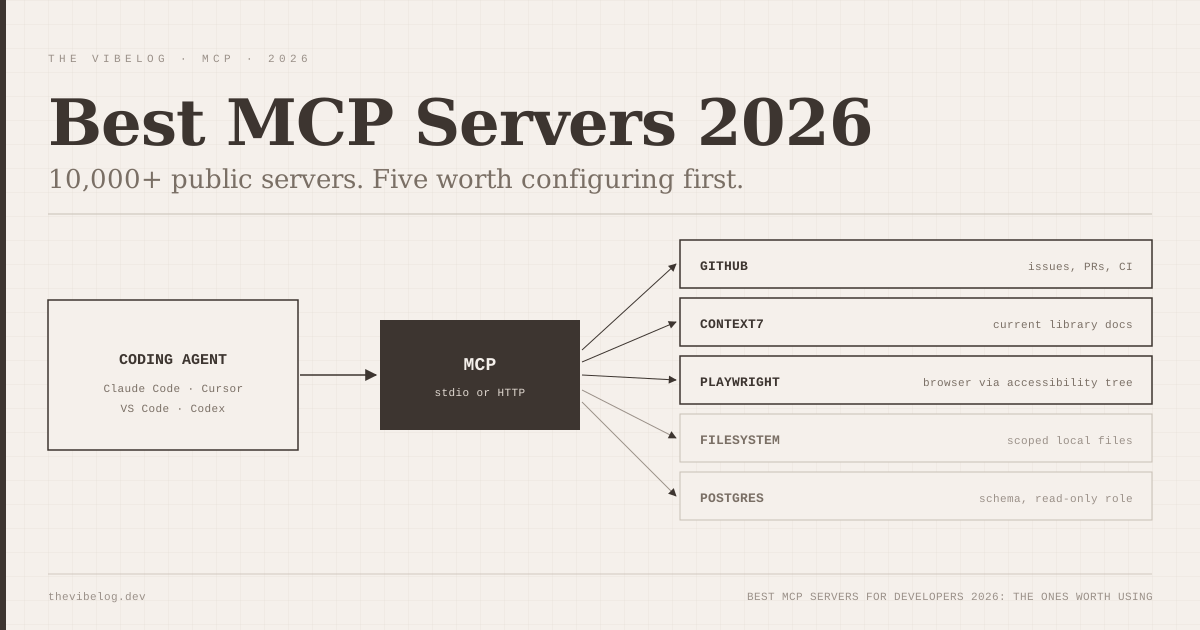
The best MCP servers for developers in 2026 are a short list, and most of the thousands of others are not worth configuring. When Anthropic introduced the Model Context Protocol in November 2024, the reaction from most developers was a polite shrug. Another standard from another AI lab.
A year later it was everywhere. When Anthropic donated MCP to the Linux Foundation’s new Agentic AI Foundation on December 9, 2025, it counted more than 10,000 active public MCP servers, over 97 million monthly SDK downloads, and adoption in ChatGPT, Cursor, Gemini, Microsoft Copilot and Visual Studio Code. In the time it takes most open source projects to find their first ten contributors, MCP became the connective tissue between AI coding tools and the rest of the developer stack.
Most of those servers are not worth your time. Here are the ones that are.
What Is an MCP Server? The Short Version
MCP is a protocol that lets AI coding assistants connect to external tools and data sources in a consistent way. Think of it as a USB-C standard for AI tool integrations — instead of every tool inventing its own API bridge, they all speak the same protocol.
For you as a developer, this means your AI agent in Claude Code, Cursor, or any MCP-compatible tool can read your database schema, query your GitHub issues, run browser automation, or check your monitoring dashboards — and do it all within the same conversation, without you copy-pasting context.
The Best MCP Servers Worth Configuring in 2026
1. Filesystem MCP (the baseline)
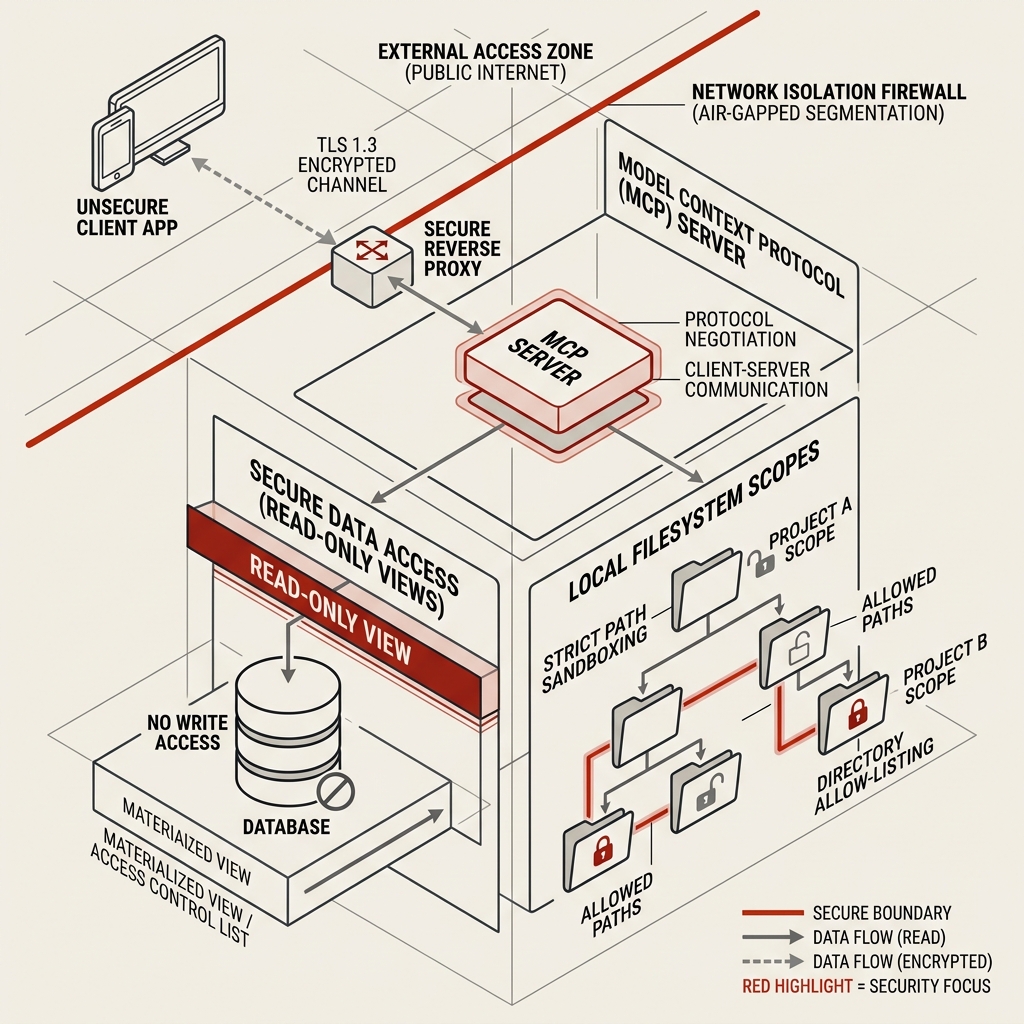
Every setup starts here. Gives your AI agent scoped read/write access to your local filesystem. Filesystem is one of the seven reference servers the MCP steering group still maintains in the official servers repository.
claude mcp add filesystem -- npx -y @modelcontextprotocol/server-filesystem /path/to/projectPoint it at your project root. The key is the scope — keep the accessible path tight. There is no reason for your coding agent to have access to your home directory.
2. GitHub MCP
The GitHub MCP server lets your agent read issues, search code across repositories, create and review pull requests, and check CI status — all without leaving your editor.
Use GitHub’s own server, not the old @modelcontextprotocol/server-github npm package. That reference version is now in the archived servers repository. The official github-mcp-server runs as a hosted endpoint at https://api.githubcopilot.com/mcp/ or locally in Docker:
claude mcp add github -e GITHUB_PERSONAL_ACCESS_TOKEN=$GITHUB_PAT -- docker run -i --rm -e GITHUB_PERSONAL_ACCESS_TOKEN ghcr.io/github/github-mcp-serverBy default it loads the context, repos, issues, pull_requests and users toolsets. Narrow that with --toolsets or the GITHUB_TOOLSETS variable, and add --read-only if the agent only needs to look. Fewer tools means fewer tool definitions eating your context window.
In practice this eliminates the copy-paste loop between your editor and browser that eats twenty minutes out of every morning. Your agent can pull up the issue you are working on, read the discussion, check related PRs, and then write code against that full context.
3. Context7
Context7 is the MCP server I recommend most aggressively to teams struggling with AI hallucination. The core problem it solves: AI models are trained on documentation snapshots. Your framework is on version 14. The model knows version 11. It confidently writes code using deprecated APIs.
Context7 fetches current, version-specific documentation and injects it into your agent’s context at query time. It is the difference between asking someone who read the manual in 2023 and asking someone who just read the changelog.
The Context7 README now offers two modes. npx ctx7 setup --claude authenticates, creates an API key and installs a skill that calls Context7 for library questions. If you prefer the MCP route, the remote server lives at https://mcp.context7.com/mcp with your key in an Authorization: Bearer header. A free key from the Context7 dashboard raises your rate limits.
4. Playwright MCP (browser automation)
Microsoft’s Playwright MCP server and Google’s Chrome DevTools MCP both give agents a real browser, and I covered the Chrome option in the Chrome DevTools MCP guide. If you work on anything involving the browser — testing, scraping, automation, debugging — Playwright MCP is the one I would set up first.
According to the Playwright MCP README, it works from Playwright’s accessibility tree rather than pixels, so no vision model is needed. Your agent can open a browser, navigate to a URL, interact with elements, capture screenshots, read console errors, and report back. I use it for debugging visual regressions without writing a test first: “open localhost:3000, log in with these credentials, check if the dashboard renders correctly.” It does the manual QA pass I would otherwise have to do myself.
claude mcp add playwright npx @playwright/mcp@latestThe README also says plainly that Playwright MCP is not a security boundary. A page the agent visits can contain text aimed at the agent, so keep it away from logged-in production admin panels.
5. PostgreSQL MCP
Hands down the most useful server for backend developers. A Postgres MCP server gives your agent read access to your database schema and, optionally, the ability to run queries.
One update since this post first ran: the original PostgreSQL reference server is now in the archived servers repository, so pick a maintained Postgres server and check who publishes it. My private MCP servers guide covers how to run one against local data without exposing credentials.
The schema access alone is valuable: your agent can write migrations, generate TypeScript types, and answer questions about your data model without you pasting \d table_name output into the chat. When you are writing a complex join and you cannot remember if that foreign key is nullable, you do not have to break your flow to check.
Configure it with read-only credentials in development. Do not give it write access to production. That sentence should not need to be written, but here we are.
6. Slack MCP
Useful for teams. The original reference Slack server is archived, and the servers repository now points to a version maintained by Zencoder. Your agent can read channel history, pull up threads about a specific issue, and surface context that would otherwise require you to dig through search. I have used it to answer “what did we decide about the auth design two weeks ago” without opening Slack.
Not essential if your team communicates in GitHub issues and pull requests, where the GitHub MCP already covers you.
7. Linear and Jira MCP servers
If your project management lives in Linear or Jira, both have MCP servers. The value is the same as the GitHub integration: your agent knows what you are working on, what the acceptance criteria are, and what was discussed in the ticket — without you summarising it at the start of every prompt.
What is not worth your time (yet)
Several categories of MCP server are technically impressive but not yet reliable enough for production use:
Code execution servers that run arbitrary code remotely. The sandboxing is not mature enough to trust in a professional context.
LLM chain servers that call other AI models inside your context. The latency and cost compound in ways that are hard to predict.
Most social media MCP servers. The rate limits and authentication complexity create more friction than they save.
How to Set Up MCP Servers in Claude Code
The Claude Code MCP docs use the claude mcp add command rather than hand-edited files. Remote servers take a URL; local servers take a launch command after a double dash:
# Remote HTTP server
claude mcp add --transport http notion https://mcp.notion.com/mcp

# Local stdio server
claude mcp add --env AIRTABLE_API_KEY=YOUR_KEY --transport stdio airtable -- npx -y airtable-mcp-server
Where the config lands depends on scope:
| Scope | Loads in | Stored in |
|---|---|---|
| Local (default) | Current project, only you | ~/.claude.json |
| Project | Current project, whole team | .mcp.json in the repo root |
| User | All your projects | ~/.claude.json |
(Source: Claude Code docs, Connect Claude Code to tools via MCP, October 2026.)
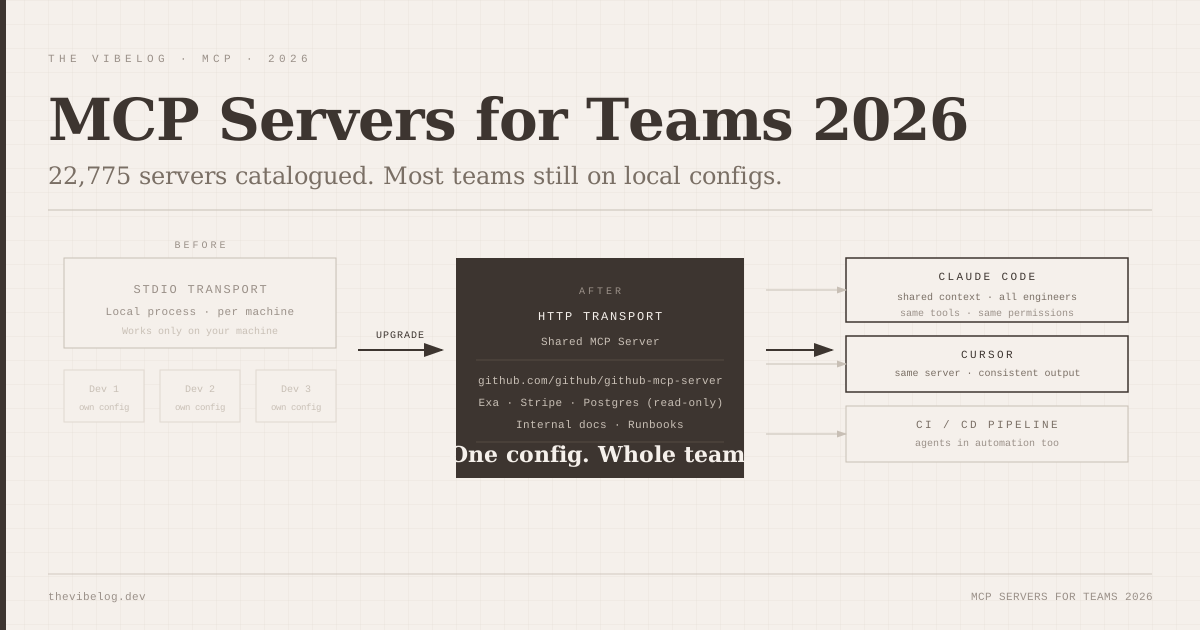
Add --scope project to share a server with your team through version control. I cover the team side, including who should own that file, in MCP servers for teams.
Run /mcp inside Claude Code, or claude mcp list from the shell, to check each server shows as connected. Start with filesystem and GitHub. Add the rest as you identify actual friction points in your workflow.
One limit to know: Claude Code warns when an MCP tool returns more than 10,000 tokens and caps output at 25,000 tokens by default. Raise it with the MAX_MCP_OUTPUT_TOKENS environment variable if a database or docs server keeps hitting the cap.
MCP Server Security: Treat .mcp.json as Code
Every MCP server you add is code that runs with your permissions or a credential your agent can use. That makes your MCP config part of your supply chain.
This is no longer a theoretical point. The Cloud Security Alliance’s research on the North Korean PromptMink campaign describes a component that registered a malicious MCP server in AI coding tools’ configs. I went through that campaign and the settings that block it in the post on AI coding agent supply chain attacks.
Three habits cover most of the risk. Use servers published by the vendor whose API they wrap, like GitHub’s own server. Give each server the narrowest token and toolset that works. Put .mcp.json under code review like any other file that runs on startup.
The honest question: does it actually help?
Yes, with the right expectation. MCP does not make your AI agent smarter. It gives it access to more accurate, current information and removes the manual step of providing context yourself.
The gains are mostly time-reclaimed-from-copy-pasting and accuracy-gained-from-real-context. Those are real gains. They compound across a week. But if you are expecting MCP servers to fundamentally change what your agent is capable of, you will be disappointed.
Think of it as giving a capable colleague better access to your tools, not hiring a different colleague.
(Updated October 8, 2026: corrected the Claude Code setup instructions. MCP servers are added with claude mcp add and stored in ~/.claude.json or a project .mcp.json file, not in CLAUDE.md. Replaced the archived @modelcontextprotocol/server-github package with GitHub’s official server, noted that the reference Postgres and Slack servers are archived, updated the Context7 and Playwright install commands, and replaced unverified 2025 adoption claims with Anthropic’s December 2025 figures.)