There are 22,775 MCP servers catalogued on Glama as of May 2026. A year ago there were roughly 2,000, most of them hobby projects. Today there are production-grade official servers from GitHub, Stripe, Vercel, Notion, and dozens of enterprise data platforms.
The problem is that most engineering teams are still using MCP the way individuals use it: as a local config file on one developer’s machine, running as a subprocess, accessible only to that one person.
This is not wrong. It is where everyone starts. But at the point where AI agents are doing real work in your codebase — writing code, querying your database, reviewing pull requests — having every developer on a different MCP config means your team is not operating on shared context. Each developer’s AI agent knows different things, uses different tools, and produces results that are harder to reproduce when another team member tries to verify them.
The shift to shared MCP infrastructure is not complicated. The MCP servers guide on this blog covers getting your first servers running individually. This post covers what comes next: making those servers available to your whole team.
Stdio vs HTTP transport: the architecture decision that matters
Every MCP server runs on one of two transport types. Understanding the difference is the prerequisite for everything else.
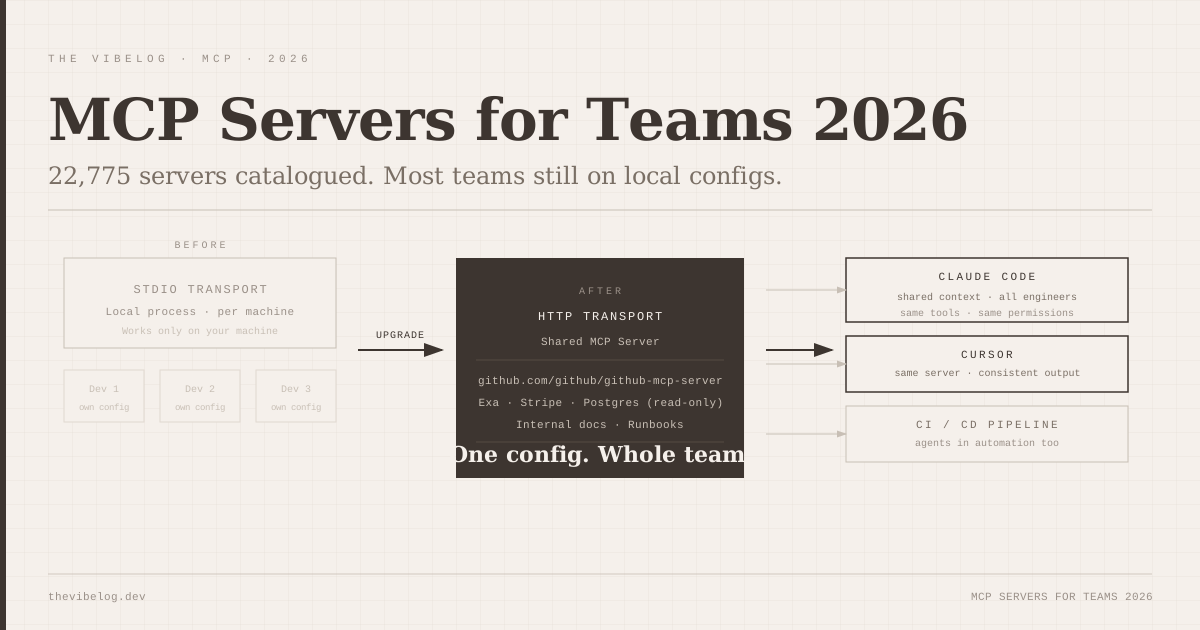
Stdio transport (the default): the MCP client — Claude Code, Cursor, or whichever AI tool — starts the MCP server as a child process and communicates with it via standard input and output. The server lives and dies with the client process. It only works on the machine running it. Each developer needs their own copy configured locally.
HTTP transport: the MCP server runs as a network service — a POST endpoint at /mcp, accessible via URL. Any client that can reach the URL can use the server. This means the same server can serve your whole team, your CI/CD pipeline, and any other agent-enabled tool in your stack.
The practical difference: with stdio, setting up GitHub MCP for a five-person team means five separate local configurations, five separate personal access tokens, and five separate mcp.json files to keep in sync. With HTTP transport, there is one server, one configuration, one token (scoped appropriately), and five team members pointing at the same URL in their settings.
The Anthropic developer documentation updated its recommendation in Q1 2026: HTTP transport with OAuth 2.0 is now the canonical architecture for any MCP deployment that more than one person will use.
The five servers every engineering team should share first
Not all 22,775 servers are worth evaluating. Most teams need a small, stable set that covers the common AI agent use cases before exploring further.
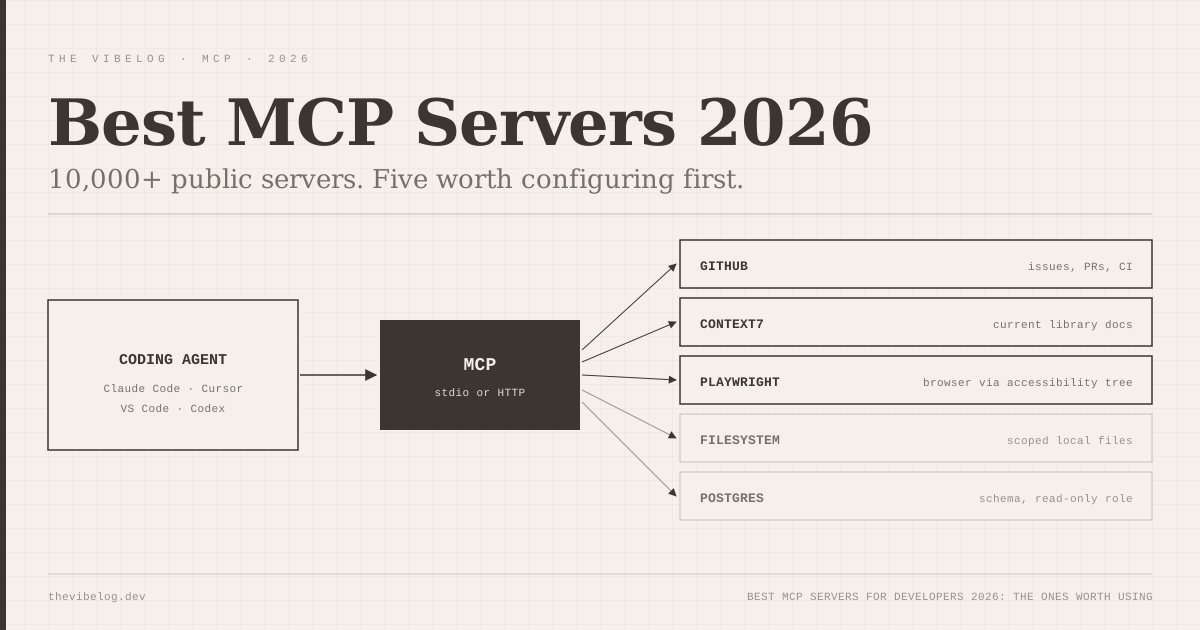
GitHub MCP (official) — github.com/github/github-mcp-server
The official GitHub MCP server from GitHub Engineering gives your AI agents access to repositories, pull requests, issues, and code search. When running as a shared HTTP server with a GitHub App token (rather than personal access tokens), it means every AI agent on the team sees the same repository context and operates with consistent permissions. This is the most impactful single MCP server for software engineering teams.
It enables the workflows that agentic coding makes genuinely useful — an AI agent that can read your open issues, look at the relevant code, and suggest an implementation without you pasting context into the chat. The agentic coding workflows guide covers what these workflows look like in practice.
Exa for search — the most-used search server for AI agents on Glama by a significant margin. When your AI agent needs to look something up — documentation, a library version, a recent security advisory — having a search tool available means it does not hallucinate answers from training data. For teams doing security-sensitive work, this is particularly important given AI code’s documented tendency toward outdated library recommendations.
Database MCP (PostgreSQL or your primary store) — a database MCP server scoped to read-only access on a replica. This lets AI agents answer data questions (“which users hit the rate limiter in the last hour,” “how many signups this week”) without a developer needing to write and run the query manually. Scope the permissions tightly — as noted in the private MCP servers and database security guide, a read-only replica with specific table access is the right configuration here.
Stripe MCP (official) — if your product takes payments, the official Stripe MCP server lets AI agents look at subscription states, payment intents, and customer data without a developer needing API access separately configured. Useful for support debugging and billing question workflows.
Internal documentation — a documentation MCP server pointed at your Notion workspace, Confluence, or a markdown folder of runbooks. This is the server that pays off most quickly: an AI agent that can answer “what is our deployment process” or “how do we handle PII in the database” from your actual docs, not its training data.
How to deploy a shared MCP server
The pattern is simpler than it sounds. For a self-hosted deployment:
-
Pick an MCP server that supports HTTP transport — check the server’s README for
--transport httpor equivalent flag. Most 2026-era official servers support it. -
Containerise it. A standard Dockerfile, expose port 3000, mount credentials as environment variables from secrets management (not hardcoded — 78% of AI-built apps stored credentials in plaintext in the Sherlock Forensics 2026 audit, and manually configured servers have the same risk if you are not disciplined).
-
Deploy behind your internal network or VPN. The server should not be publicly accessible. If you are on AWS, a private ALB or internal ECS service works. On Kubernetes, a ClusterIP service with ingress restricted to internal traffic.
-
Add OAuth 2.0 authentication. The MCP spec now includes a standard OAuth 2.0 flow — your AI tool authenticates to the MCP server the same way a user would authenticate to an API. This is the step that most tutorials skip, and skipping it means your MCP server has no access control at all.
-
Share the URL and OAuth client credentials with your team. Each developer adds one entry to their
mcp.json: the server URL and their credentials. Done. The server runs once; every team member benefits from it.
For teams that would rather not operate the infrastructure: Cloudflare Workers MCP hosting (one-click deployment from the Cloudflare dashboard) is the lowest-friction option. Several MCP servers in the official registry publish a “Deploy to Cloudflare” button. For the GitHub and Stripe official servers, this is a five-minute setup with built-in authentication via Cloudflare Access.
The enterprise picture: Pinterest and what it looks like at scale
Pinterest deployed MCP in production for engineering workflows in 2026 and published a case study. The pattern they described: a small set of shared MCP servers (code search, incident runbooks, metric queries) available to AI agents across their engineering organisation, with access controlled by their existing identity provider.
The outcome they reported was not “AI agents writing all the code.” It was narrower and more practically useful: engineers stopped context-switching out of their editor to answer questions that had structured data behind them. Metric queries that used to require opening a dashboard, navigating to the right graph, and reading it manually started happening inline in the IDE. Incident runbook lookups that used to require searching Confluence happened in the agent chat.
This is the realistic version of MCP in production at scale. Not AI doing engineering work autonomously, but AI having access to the context it needs to be genuinely useful rather than hallucinating answers.
The maintenance reality
Shared MCP servers require maintenance in a way that local configs do not. A locally-running stdio server that breaks only breaks for one person. A shared HTTP server that breaks breaks for everyone.
The operational practices that matter:
Version pin your MCP servers. Do not pull latest in production. MCP servers update frequently — the context7 server, for example, ships multiple times per week. Pin to a specific version tag, test updates before rolling them out, and maintain a rollback path.
Monitor the server, not just the AI tool. Add health checks, latency monitoring, and error rate alerts on the MCP server itself. If Cascade or Claude Code is slow, you want to know whether the bottleneck is the AI model or the MCP server responding slowly.
Scope credentials with the minimum required access. This applies both to the credentials the MCP server uses to talk to external services and to the credentials team members use to authenticate to the MCP server. A shared server with admin-level credentials to your database is not a security improvement over having developers query the database directly — it is a larger target.
22,775 MCP servers is an overwhelming number to evaluate. Most engineering teams need five. Get those five running on shared HTTP infrastructure, give them proper access controls, and the AI tools your team already uses become significantly more useful — because they will be working with your actual data and context instead of guessing.
MCP server count from Glama catalogue as of May 2026. Pinterest MCP deployment case study from their engineering blog, Q1 2026. Anthropic MCP HTTP transport recommendation from official MCP documentation, updated March 2026.