Andrej Karpathy named it. Collins Dictionary canonised it. And somewhere along the way, vibe coding in production stopped being a joke and became a description of how a significant portion of the industry actually works.
I have been doing this for eight months on real projects — a subscription SaaS, an internal admin tool, a client e-commerce integration. Here is an honest reckoning with what the data says and what the data misses.
Vibe Coding Statistics 2026: The Numbers First
The statistics on vibe coding are genuinely difficult to hold in your head because they are simultaneously impressive and alarming:
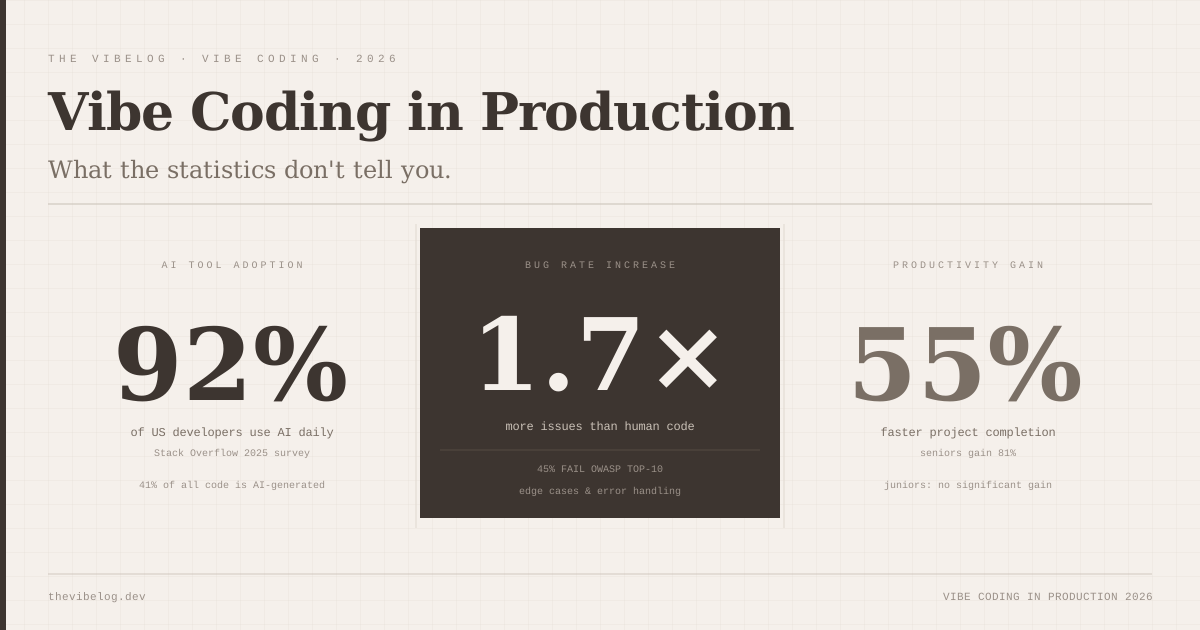
- 84% of developers use or plan to use AI tools, and 51% of professional developers use them daily, according to the 2025 Stack Overflow Developer Survey
- GitHub’s controlled 2022 experiment found developers using Copilot finished a JavaScript HTTP server task 55% faster
- A field study of developers at Microsoft, Accenture and a Fortune 100 company found a 26% increase in completed tasks
- METR’s 2025 randomized trial found experienced open-source developers took 19% longer with AI, while believing they were 20% faster
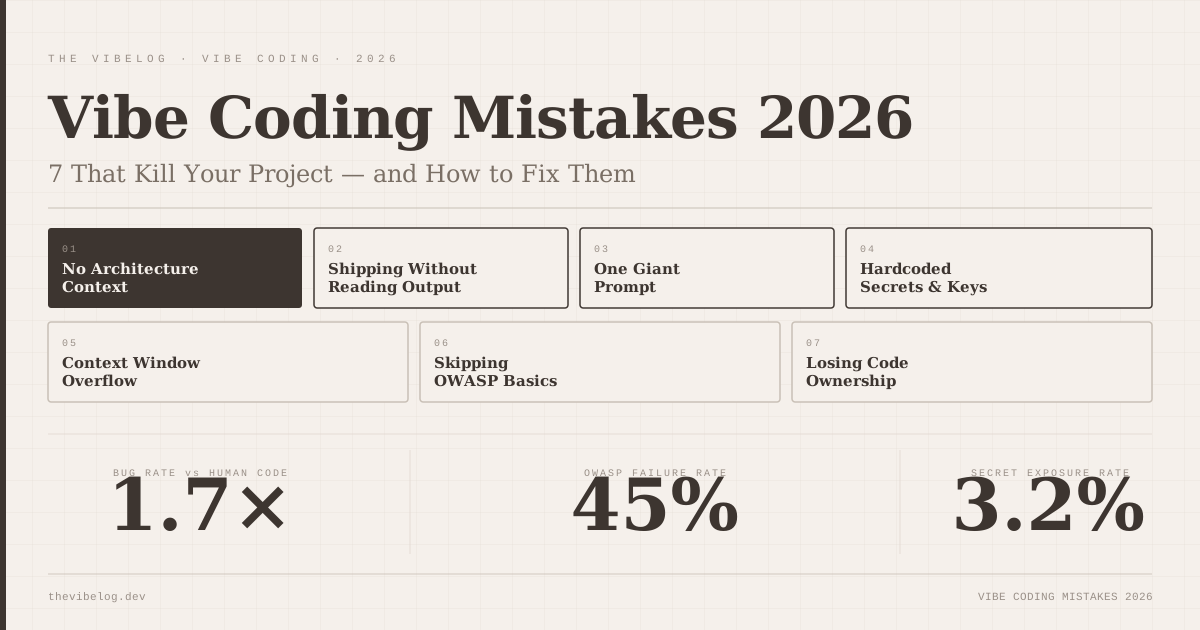
- AI-co-authored pull requests contained about 1.7x more issues than human-only ones, per CodeRabbit’s analysis of 470 PRs
- 45% of AI-generated code samples introduced OWASP Top 10 vulnerabilities in Veracode’s tests of 100+ models
- Only 33% of developers trust the accuracy of AI output, and favourable views of AI tools fell from over 70% to 60% in a year
Look at the productivity rows together. One study says 55% faster, one says 26% more output, one says 19% slower. They are measuring different things: a single greenfield task, weekly output across a company, and experienced maintainers working in large codebases they already know.
The “AI will 10x your productivity” camp and the “AI code is dangerous” camp are both partially right and both missing context. The honest summary of the 2026 data is that AI speeds up well-defined work and adds defects, and the size of both effects depends heavily on who is using it and on what.
What Vibe Coding Actually Looks Like at Work
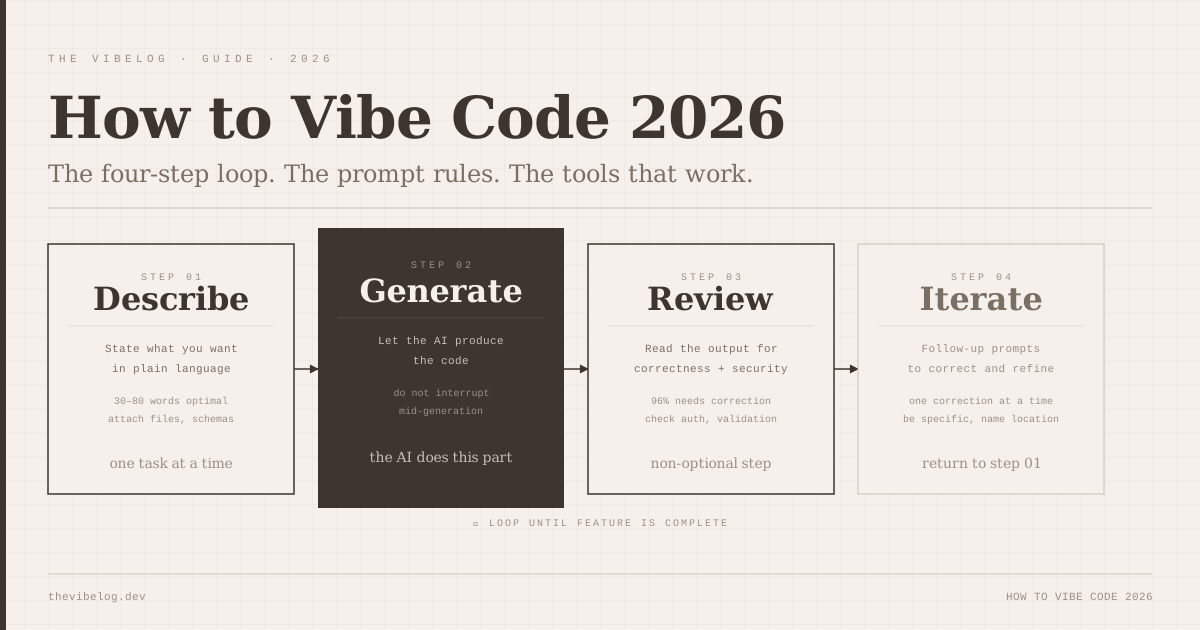
The term has become baggage. When Karpathy coined it in early 2025, he was describing a specific mode of working: describe the problem in natural language, let the AI generate the code, run it, iterate. Fully surrendering the keyboard, essentially. If you want the longer definition, I wrote a full guide to what vibe coding is.
Most working developers are not doing that. What they are actually doing is a spectrum:
Light vibe coding: Autocomplete on steroids. You write the structure, the AI fills in the implementation. This is the mode GitHub’s 55% experiment measured, and the one with the least risk.
Medium vibe coding: Delegating complete functions or components. “Write a debounced search hook that handles cancellation.” You review the output, adjust, integrate. This is where experienced developers get the most out of AI — they have the judgment to review output quickly.
Heavy vibe coding: Delegating entire features or subsystems. “Build the checkout flow.” The AI writes most of it, you review and correct. This is where the 1.7x issue rate shows up, because reviewing unfamiliar AI-generated code for subtle correctness is genuinely hard.
Most of the risk in vibe coding in production sits in the heavy end of that spectrum, where review is hardest.
Vibe Coding Productivity: Junior vs Senior Developers
(This section was rewritten on October 8, 2026. The original version claimed senior developers saw 81% productivity gains and juniors none; the primary studies do not support that. See the note at the end.)
The data point that deserves more attention is how differently the gains land by experience — and it is not the direction many people assume.
The field study of Microsoft, Accenture and a Fortune 100 company, summarised by MIT Sloan, found that recent hires and junior developers increased output by 27% to 39%. Senior developers gained 8% to 13%. METR’s trial went further: experienced maintainers working in their own mature repositories were 19% slower with early-2025 tools.
So juniors produce more with AI. The question is whether they can tell when the output is wrong.
AI tools make you faster at producing code. They compress the time between “knowing what to write” and “having written it.” They do not tell you whether what got written is right.
A senior developer can review a 200-line AI-generated authentication flow in three minutes because they can immediately see whether the session management is correct, whether the token rotation is right, whether the CSRF handling matches the threat model. A junior developer reading the same code has no reliable way to know if it is correct — it looks plausible, it runs, it might be subtly wrong in ways that only appear at 3am six months later.
That is my read on why the volume gains and the defect rates can both be true at once. More code ships, and less of it gets reviewed by someone who would catch the subtle failure.
The job market numbers are noisy too. The Washington Post, as reported by Fortune, found the 12-month average of US employment in the narrow “computer programmer” occupation fell 27.5% from about 2023. That category is distinct from software developers, for whom the Bureau of Labor Statistics projects growth. I dug into the wider data in what the 2026 data shows about AI replacing developers.
Juniors get the biggest speed gains from AI, and they are also the people least equipped to catch what the AI got wrong.
The Security Problem With Vibe Coding in Production
45% of AI-generated code samples introducing OWASP Top 10 vulnerabilities should be alarming. It largely has not triggered the alarm it deserves, possibly because most of the failures are in subtle categories — insecure defaults, insufficient logging, missing input validation on edge cases — rather than obvious SQL injections that tooling catches automatically.
The pattern I have seen in my own work: AI-generated code handles the happy path securely. It validates the expected inputs. Where it fails is at the boundaries — what happens when the input is null, when the external API returns 429, when the database connection drops mid-transaction. These are the cases that humans who have been burned before instinctively harden against. The AI has not been burned before.
CodeRabbit’s numbers point the same way: security issues were up to 2.74x higher in AI-co-authored PRs than in human-only ones. The AI-generated code security breakdown goes through the specific vulnerability classes.
There is also a newer risk that does not show up in your own diff at all. Agents that install packages can pull in malicious dependencies, which I covered in the post on AI coding agent supply chain attacks.
AI-generated code is usually secure on the happy path and weak at the edges, which is exactly where production traffic finds it.
What Actually Works for Vibe Coding in Production
After eight months, my workflow is this:
Delegate the scaffolding, own the edges. Let the AI write the structure. Review it specifically for the failure modes that are not in the happy path. Add tests for the edge cases the AI missed. This is faster than writing everything yourself and safer than trusting AI output uncritically.
Keep your mental model. The productivity gain comes with a hidden cost: you spend less time reading code, so your mental model of your own codebase slowly degrades. I now deliberately read AI-generated code I could have just run, because understanding what is in my codebase is not optional. That erosion is the start of the problem I described in the 90-day vibe coding technical debt reckoning.
Security pass everything. Run every AI-generated pull request through a security linter before it gets to review. Semgrep is free and catches many of the common OWASP failures. It takes thirty seconds and has saved me twice.
Measure your own speed. METR’s developers believed they were 20% faster while actually being 19% slower. Your feeling of speed is not data. Track cycle time and defect rate before and after a change in tooling.
The Honest Verdict
Vibe coding works. The speed gains are real for well-defined tasks, and the field data shows meaningful output gains across three large companies. But they come with an invisible cost: a codebase you understand less deeply than one you wrote yourself, and a security surface area that requires active management.
The developers who are getting the most out of these tools are treating AI-generated code the way a senior engineer treats code from a capable but inexperienced colleague: useful as a starting point, requires review, not something you ship without reading carefully.
The ones struggling are either refusing to use the tools at all, or using them without adequate review. Both groups are leaving value on the table, in different ways.
Collins naming vibe coding Word of the Year was a cultural moment. The real story is more mundane: this is a tool, it has tradeoffs, and using it well requires judgment that you can only build by actually building things.
(Updated October 8, 2026: corrected several statistics. The 92% figure comes from GitHub’s 2023 survey of 500 US developers and measured AI tool use at or outside work, not daily use; it has been replaced with the 2025 Stack Overflow survey. Removed an unverified claim that 41% of all 2025 code was AI-generated and an unverified Cursor acceptance rate. Corrected the claim that senior developers gained 81% and juniors nothing: the Microsoft/Accenture field study found juniors gained 27–39% and seniors 8–13%, and METR found experienced developers 19% slower. Corrected trust data to Stack Overflow’s 33% trust and 46% distrust. Clarified that the 27.5% employment drop applies to the narrow “computer programmer” occupation, not all programmers.)