Bolt.new started as a fast way to prototype React apps in a browser. In 2026, it is a full-stack cloud IDE with native payments, built-in databases, AI image generation, and MCP server support — and the code it generates is genuinely production-grade.
Whether that makes it the right tool for you depends on one thing: whether you want to see every file.
What Bolt.new V2 Actually Is in 2026
Bolt Cloud V2 is not a chatbot with a code preview pane. It is a cloud IDE — file tree, code editor, terminal, live preview — running on StackBlitz WebContainers inside your browser. The distinction matters. You are not approving AI suggestions and watching them render. You are working in an environment where you can open any file, read the implementation, edit it directly, run terminal commands, and watch changes live.
This is the thing that separates Bolt.new from every other AI app builder aimed at non-developers. Bolt.new is aimed squarely at developers who want to move faster without giving up the ability to understand what they are shipping.
The model powering Bolt is Claude 3.5 Sonnet as the base. In 2026, Opus 4.6 with adjustable reasoning depth was added — useful for complex multi-file refactors where you want the model to think harder before touching anything. In practice I switch to Opus on tasks where the wrong edit would touch 10+ files. For routine feature work, Sonnet is faster and sufficient.
Bolt.new’s Built-in Database and Auth Stack
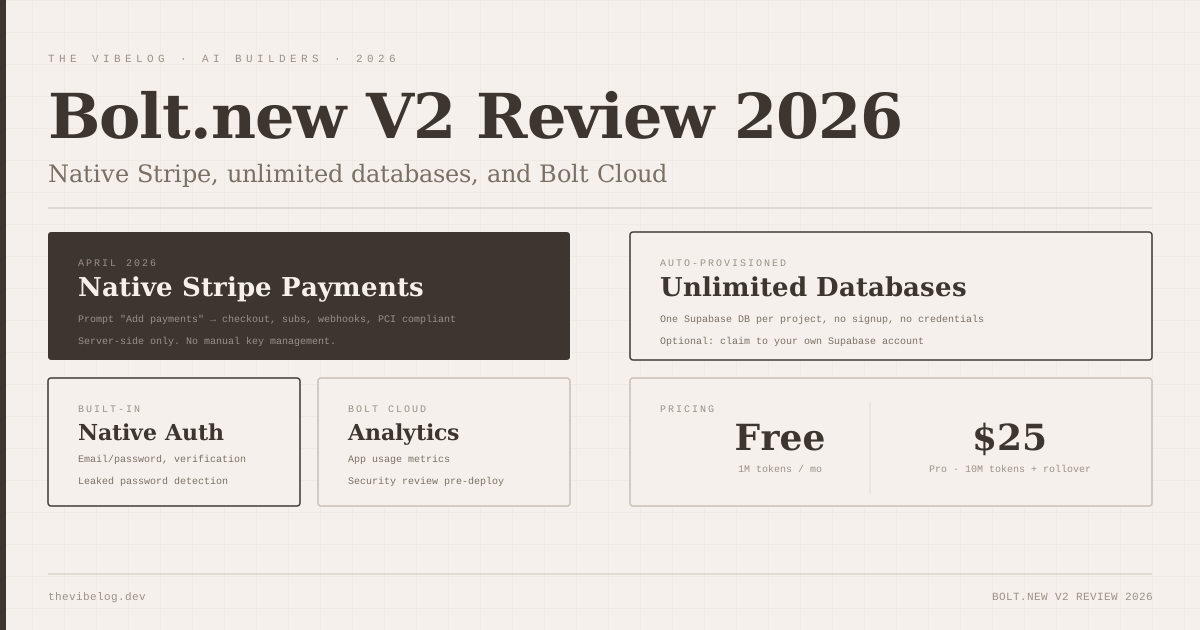
Every Bolt project gets unlimited built-in databases created automatically. There is no signup step, no credentials to configure, no separate service to connect. The project has auth, edge functions, secrets management, user management, and file storage available from the moment it exists.
This is worth pausing on. The equivalent setup in a conventional project means: create a Supabase project, copy the connection string, configure environment variables, write the auth middleware, set up row-level security, and remember to add the bucket for file uploads. In Bolt, none of that is your job.
Auth works correctly. Email/password with verification, session management, and user management are all handled by the platform. I tested it with a SaaS-style app — signup, login, protected routes, per-user data — and it required zero configuration beyond describing what I wanted.
The one gap worth naming: if you want to access your database externally — from a script, from a separate service, from a GUI database client — you need to claim the database to your own account. Auto-provisioned means Bolt owns it until you claim it. That is a reasonable tradeoff but it catches people off-guard the first time they reach for a database GUI and cannot find the credentials.
Private sharing is another feature worth mentioning here. You can generate a private link to share a working prototype with someone without exposing the project files. The viewer sees the running app, not the code. This sounds minor but it is genuinely useful when you want a client or stakeholder to click through something before a call without giving them access to the project.
Bolt.new Native Stripe Integration (April 2026)
The Stripe integration launched in April 2026 and it is the feature that pushed Bolt.new from “great prototype tool” to “actually ship this to paying users.”
The workflow is: prompt “Add payments” in the Bolt chatbox, describe your pricing — plan name, amount, billing interval — and Bolt generates the full Stripe implementation. Checkout session creation, webhook handling, subscription status tracking, server-side logic. All of it runs server-side only, which is the correct pattern and makes it PCI compliant. You do not write any payment code.
I tested this with a subscription SaaS app. The generated implementation handled checkout, the webhook for subscription activation, and the status check on the dashboard correctly on the first attempt. The webhook endpoint was wired properly, the event types were handled, and the database update after successful payment ran without errors.
The honest caveat: you still need a Stripe account. Bolt generates the integration code and wires everything together, but your Stripe API keys and webhook secrets come from your own account. The zero-configuration story is about the code, not the Stripe account itself. That is not a criticism — it is the correct way to handle it — but worth being clear about before someone expects Bolt to conjure a Stripe account from nothing.
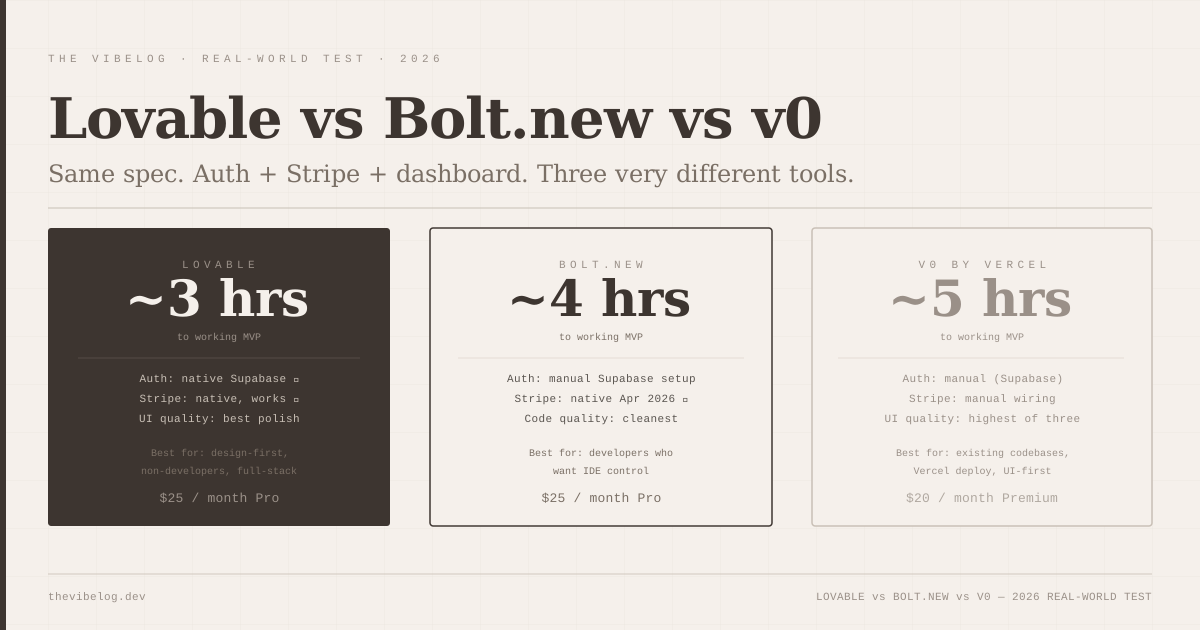
For comparison context, if you are evaluating this against Lovable and v0, the full breakdown of how all three handle payments and auth covers the tradeoffs in detail. The short version: Bolt and Lovable are now feature-equivalent on payments; v0 requires manual Stripe setup.
AI Image Generation and MCP in Bolt.new 2026
These two features read like they come from different product teams — one is a workflow convenience, the other is an architectural decision that changes what kind of projects Bolt can handle.
AI image generation is the convenience. Describe what you want in the Bolt chatbox, and Bolt generates a ready-to-use image with transparent background support and automatic WebP conversion. You can also edit existing project images: describe which part to change, and the Nano Banana model updates only that section while leaving the rest intact. I used this for icon generation and for updating a hero image background without needing to open a design tool. The quality is acceptable for placeholder and UI assets, not a replacement for intentional design work. But “acceptable and already in the right format” is worth a lot when you are trying to ship, not polish.
MCP server integration is the architectural decision. Bolt can connect to MCP servers, which means projects can pull in real-world context from external tools and data sources during the build process. This changes what Bolt can build. A project connected to an MCP server has access to live data, external APIs, and tool context that a closed AI session does not. For anything beyond a standalone demo app — anything that needs to talk to internal systems, proprietary APIs, or real databases — this matters.
I will be honest: MCP in Bolt is early. The setup works, but the tooling to manage server connections inside the IDE is minimal compared to what MCP-native tools offer. If MCP integration is the primary reason you are evaluating Bolt, the MCP servers guide covers the broader ecosystem and what to look for in tools that are building deeper MCP support.
Bolt.new Code Quality in 2026
This is the area where Bolt.new has the clearest differentiation from most AI app builders, and the one I care about most when evaluating tools I would actually put in production.
The output is TypeScript throughout. Not “TypeScript where convenient” — TypeScript interfaces on every data shape, typed props on every component, no implicit any unless the model cannot resolve a type correctly. Components stay under 100 lines. If a component needs to do more, the model extracts a child component or a utility function rather than growing the file.
UI uses shadcn/ui. This is the correct call for 2026 — shadcn gives you a set of accessible, composable primitives that look professional without requiring a design system, and the components are owned by the project rather than an external dependency. The generated code follows the same patterns you would write yourself if you were following React best practices: hooks extracted into custom hooks, business logic separated from UI, API calls isolated from components.
I have opened generated files in Cursor and continued working on them without any “AI wrote this” friction. The naming is readable, the structure is predictable, and the abstractions are at the right level. That is a higher bar than most generated code passes.
The one consistent limitation: the model struggles with genuinely complex state management. When a project grows to the point where multiple components share state that has non-trivial update logic — optimistic updates, pessimistic rollbacks, derived state across sources — the generated patterns start to show cracks. This is not a Bolt problem specifically; it is where AI code generators in general hit their ceiling. On projects with that complexity, you will be writing the state management yourself and asking Bolt to build around it.
Bolt.new Pricing in 2026
Free tier: 1 million tokens per month with a 300K daily cap. Pro: $25 per month with 10 million tokens and rollover — unused tokens carry forward to the next month.
Both tiers include everything: unlimited built-in databases, auth, file storage, analytics, and hosting. There are no separate charges for the infrastructure. The token budget is the constraint, not the features.
On Pro, 10 million tokens with rollover is generous for individual project work. A typical session building a new feature runs 50–200K tokens depending on complexity. You would need to be working on large projects, with Opus rather than Sonnet, to hit the monthly ceiling regularly. Free tier’s 300K daily cap is tighter — enough for a focused two-hour session, not enough for a full day of iteration on a complex project.
The rollover is a genuinely good design decision. Months where you are deploying and maintaining rather than building heavily, those tokens accumulate. Months where you are in a crunch, you draw them down. The alternative — lose unused tokens every month — penalises developers with uneven workloads. Most developers have uneven workloads.
Bolt.new Analytics and GitHub Integration
Web analytics live in Project Settings and show unique visitors, page views, top pages, and bandwidth usage. These are first-party analytics, not Google Analytics, which means no cookie consent requirements for basic traffic data. The granularity is limited — you are not getting user-level funnels or conversion tracking — but for deployed apps where you want to know if anyone is actually using it, it is more than enough.
GitHub integration works as expected with one notable detail: you can disconnect an individual project from its linked GitHub repo without removing the full GitHub integration from your Bolt account. This matters when you have a project you want to archive or take in a different direction — you are not forced into an all-or-nothing decision about your GitHub connection.
Design system attachment allows you to connect a design system to an existing project, then prompt Bolt to update specific components to match it. I tested this with a Tailwind-based design system. It works, but “attach and prompt each component” is the workflow — Bolt does not automatically propagate the design system through the entire codebase on attachment. You are telling it which components to update, one prompt at a time. That is manageable for a focused UI consistency pass; it is slow for a complete reskin.
Where Bolt.new Is Still Weak
The IDE experience, for all its strengths, is still a browser-based IDE. On large codebases — projects that have grown to 50+ files through iteration — the file tree and editor start to feel slower than a local IDE. Responsiveness on complex TypeScript projects with many interdependent types is noticeably behind Cursor or VS Code running locally. If your project has reached production scale and you are doing deep work on it daily, the quality-of-life argument for switching to local tooling is real.
Token consumption is not always predictable. A prompt that touches a large file — refactor this component, add error handling throughout — can consume 20–50K tokens in a way that smaller targeted prompts would not. On Free tier, a few heavy sessions can exhaust the daily cap mid-afternoon. Learning to write targeted prompts is a skill the tool requires but does not teach.
There is no offline mode. Bolt is entirely cloud-dependent. If your internet drops or StackBlitz infrastructure has an issue, your work stops. This has not been a frequent problem in my experience, but it is a category of risk that local IDEs do not have.
The design output, while competent, is noticeably less polished than Lovable’s. Bolt generates functional, well-structured UIs that look like a developer built them. Lovable generates UIs that look like a designer built them. If visual quality at the MVP stage matters for your use case — client demos, investor pitches, consumer-facing products — Lovable has a genuine advantage here. If you are building internal tools or developer products where function matters more than form, Bolt’s output is completely adequate.
That tradeoff runs through everything about these tools, as the vibe coding in production analysis covers in depth — the question is not which tool is better, but which tool is better for your specific output requirements.
The Verdict: Who Bolt.new Is For in 2026
Bolt.new is for developers who want to ship fast without losing sight of what they are shipping.
The IDE model — file tree, editor, terminal, live preview — is not a concession to developers who want “real” tools. It is the product’s core design philosophy: you should be able to read and understand every file the AI generates, edit any of it directly, and build on top of it with normal development tools when the project grows. The code quality supports this. TypeScript throughout, components under 100 lines, shadcn/ui, patterns you recognise — this is output you can hand to a developer and they will not spend the first hour deciphering what the AI was doing.
The 2026 feature additions — native Stripe, AI image generation, MCP integration, built-in analytics, unlimited databases — close the gap between “useful for prototypes” and “capable for production.” The Stripe integration in particular changes the category. Bolt.new can now build a complete SaaS product from a prompt, including the payment infrastructure, without leaving the platform.
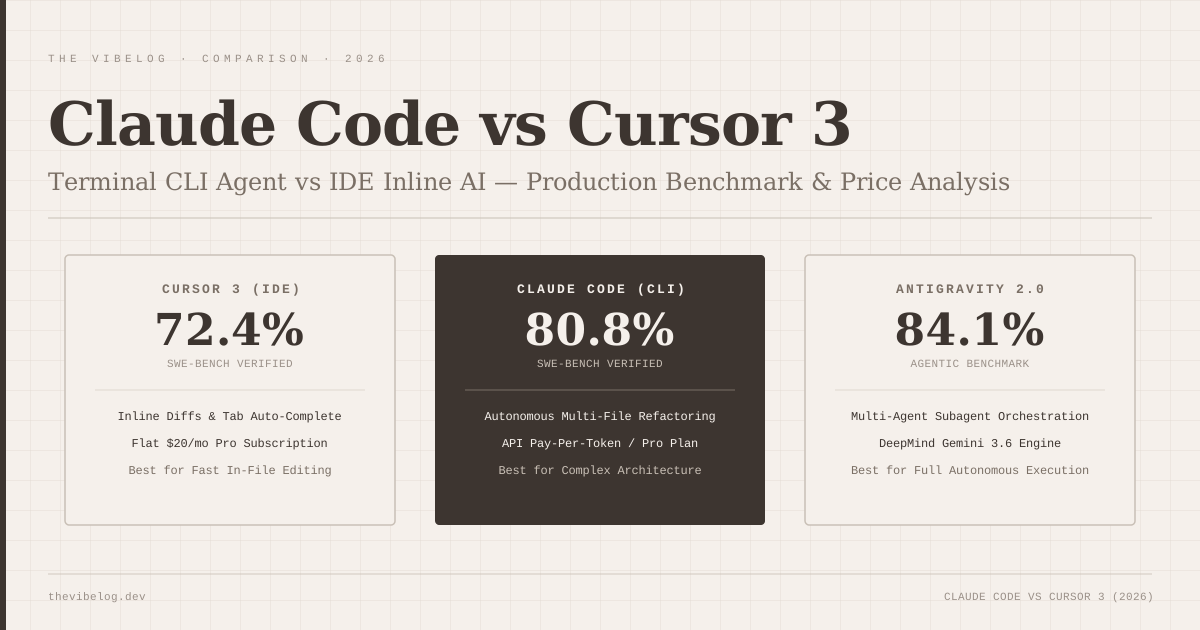
Who should look elsewhere: if you are not a developer and the file tree is intimidating rather than reassuring, Lovable’s product-builder model will get you further faster. If your output is primarily UI components going into an existing Next.js codebase on Vercel, v0’s code quality and deployment integration are hard to beat. If you have outgrown browser-based IDEs and want local-first tooling with AI assistance, Cursor remains the right answer for daily deep work.
Bolt.new’s position is the developer tool that meets you in the middle: enough automation to move at AI speed, enough visibility to stay in control.