Cognition paid roughly $250 million for Windsurf in December 2025. Before that deal closed, OpenAI had offered somewhere around $3 billion and walked away, and Google had hired Windsurf’s CEO. Whatever your feelings about AI valuations, that is an unusual amount of drama for a VS Code fork — even one with $82M ARR and a genuinely impressive agentic AI layer underneath it.
I have been using Windsurf for three months since the acquisition closed, alongside Cursor, which I covered alongside Claude Code and GitHub Copilot in the full AI tool comparison post. Here is an honest account of what changed, what improved, and where the rough edges still are.
What the Cognition acquisition actually meant
The acquisition brought two things that matter to developers: Cognition’s SWE-1.5 model running in Cascade, and a pricing change that immediately annoyed a significant portion of Windsurf’s user base.
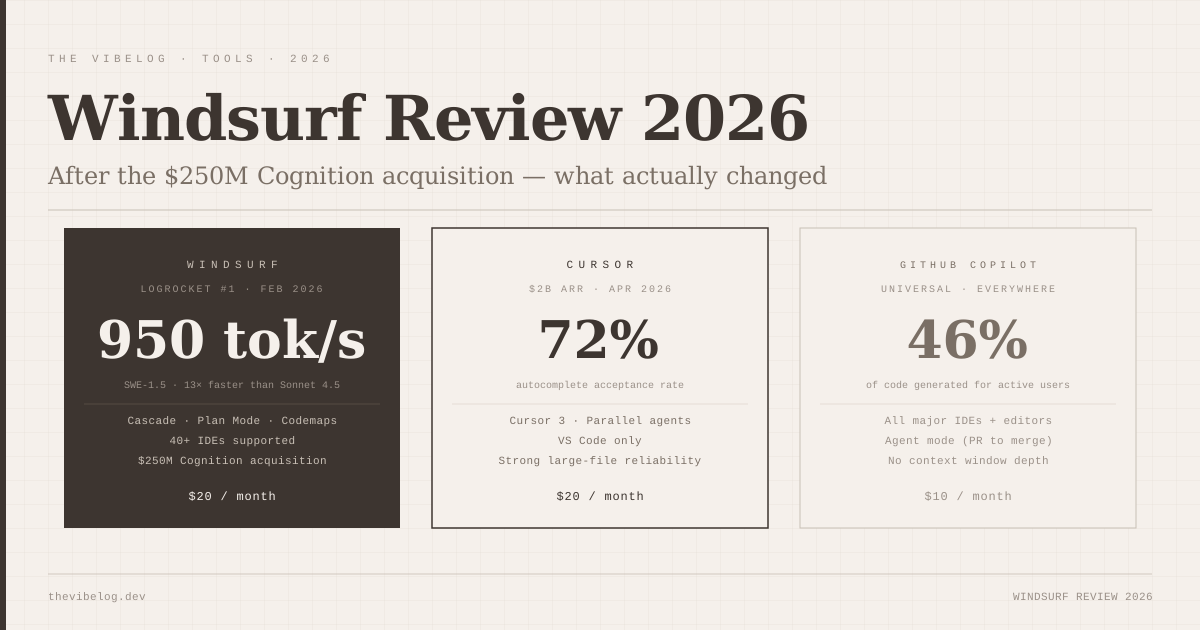
SWE-1.5 is a proprietary model built by Cognition specifically for agentic coding. It runs on Cerebras hardware at 950 tokens per second — 13x faster than Claude Sonnet 4.5. For Cascade, this matters concretely: agent responses feel near-instant rather than the 2-4 second gaps you notice in tools running on standard inference. Speed is underrated in agentic IDE tools. When you are waiting for the agent to respond, you context-switch. When responses are immediate, you stay in the task.
The pricing change was less well-received. In March 2026, Windsurf raised Pro from $15 to $20 per month and replaced the credit-based system with daily and weekly usage quotas. The price point is identical to Cursor Pro now — but the switch from credits to quotas felt like a backwards step to users who had calibrated their workflow to the previous system. Trustpilot reviews in the week after the change were mostly one-star. The community Discord was not friendly about it.
This is worth being honest about because it affects the decision to switch or stay. If you are currently on Cursor at $20/month, Windsurf Pro is the same cost. The comparison becomes about features and workflow, not price.
Cascade in 2026: what it can actually do
Cascade is the feature that differentiates Windsurf from every other VS Code fork with an AI chatbot bolted on. It is an agentic system — not a chat interface, not autocomplete with more context. It reads your codebase, makes changes across multiple files, runs commands in the terminal, checks the output, and iterates.
The 2026 release cadence pushed Cascade significantly forward. The features that matter in practice:
Plan Mode: Before writing any code, Cascade can draft a detailed implementation plan and show it to you. You approve or modify the plan, then execution starts. This sounds like a small thing. In practice it is the difference between agent output that surprises you and agent output you understood before it landed. I now use Plan Mode on any task that touches more than two files.
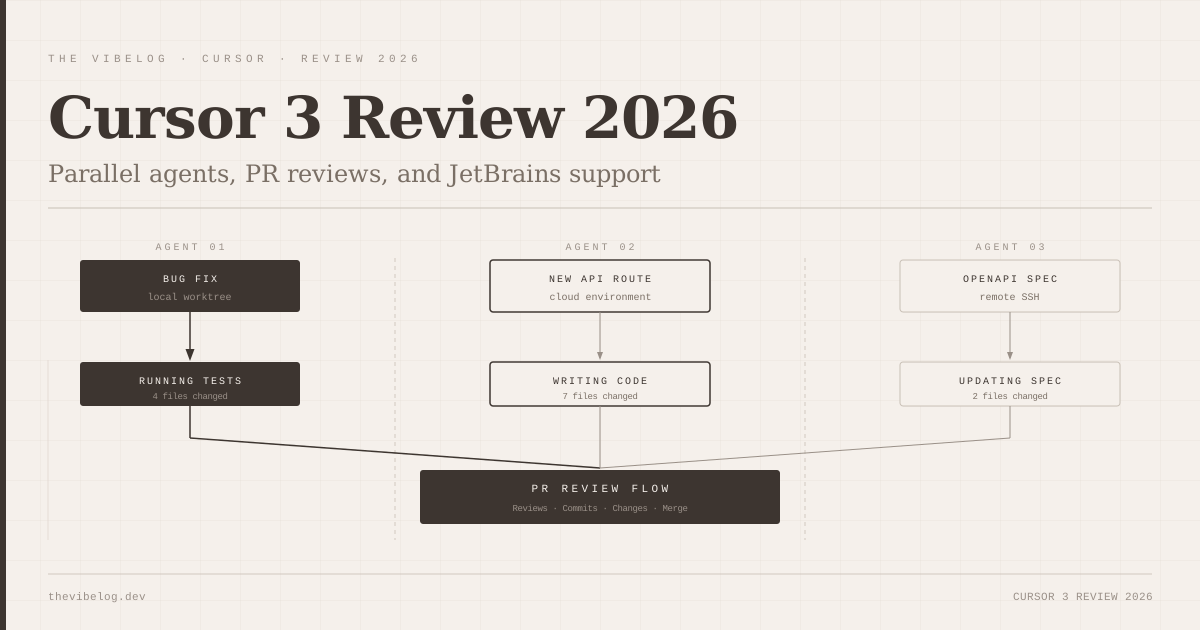
Parallel multi-agent sessions (Wave 13, March 2026): You can run multiple Cascade agents simultaneously on different tasks, each in its own Git worktree. The practical use case: one agent builds a new API route while another writes the integration tests for an existing feature. This shipped the same month Cursor 3 added parallel agents — both IDEs recognised the same gap at the same time.
Codemaps: AI-annotated visual maps of code structure, showing grouped sections, trace guides, and precise line-level links. Useful for orienting yourself in an unfamiliar codebase before delegating to Cascade. Less useful if you already know the codebase well.
Fast Context: Cascade’s SWE-grep retrieves relevant code 10x faster than standard agentic search, using 8 parallel tool calls per turn across 4 turns. On large monorepos this is not a marginal improvement — it is the difference between a 2-second context gather and a 20-second one.
The Windsurf 2.0 launch on April 15, 2026 added an Agent Command Center — a single panel for supervising both local and cloud agents. This is the direction agentic development is heading: you manage fleets of agents rather than single conversations, and the IDE becomes an orchestration layer rather than a chat interface.
The multi-IDE advantage that Cursor does not have
Cursor is a VS Code fork and only runs as Cursor. If you use VS Code, this does not matter. If your team includes JetBrains users — which means most teams with Java, Kotlin, or Scala — Cursor is not an option for them. Windsurf supports 40+ IDEs including all major JetBrains products, Vim, Neovim, and Xcode.
For teams with mixed editor preferences, this is genuinely important. The tools that work only in VS Code have a quiet adoption barrier: every JetBrains developer on the team is either forced into an editor they do not prefer or locked out of the tool entirely. Windsurf removes that barrier.
This is also relevant for teams that maintain mobile codebases. Xcode integration is niche but real — iOS developers do not want to leave their editor, and GitHub Copilot’s Xcode integration has been inconsistent. Windsurf works.
The honest reliability picture
Windsurf has reliability issues that the positive reviews consistently understate.
Large file handling degrades noticeably above 300–500 lines. Autocomplete becomes inconsistent on files with complex type hierarchies. Cascade occasionally loses track of context across very long sessions and starts making contradictory edits — a problem that is less common in Cursor’s Composer 2. The Wave 13 parallel sessions work as described but are noticeably more crash-prone than their Cursor equivalents.
The Trustpilot picture for 2026 is mostly one-star reviews, which is a stronger signal than it sounds — the people who feel strongly enough to leave a review are the ones who ran into real problems. The counter-signal is that developer communities on Discord and Reddit show genuine enthusiasm for Cascade when it works well. The gap between those experiences is real: Cascade on a well-scoped task with a clean codebase is impressive; Cascade on a large legacy file with complex interdependencies is unreliable.
Compare this to the agentic coding workflows covered here — agentic tools in general perform better on clean, well-scoped work than on complex existing code. Windsurf’s reliability gap is an agentic tools problem, not unique to Windsurf, but it is more pronounced here than in Cursor.
The Devin question nobody is answering cleanly
Cognition built Devin — the fully autonomous coding agent. Windsurf is an IDE with an agentic AI layer. The acquisition creates an obvious question: at what point does Windsurf become a Devin UI, where you set tasks and the agent completes them independently, and the “you sit in an IDE and code” model gets superseded?
Cognition has said explicitly that Windsurf and Devin are separate products targeting different use cases. That is probably true in the near term. But the architectural direction — Agent Command Center, parallel sessions, cloud agent supervision — is moving toward exactly the Devin model at the IDE layer. The distinction between “an IDE where an AI helps you code” and “a UI where you supervise AI coding” is blurring.
I do not think this is a reason not to use Windsurf. I think it is a reason to pay attention to which direction the product is moving and whether that direction matches what you want from a development environment. If you want to write code yourself with AI assistance, that is still what Windsurf delivers today. Whether it will deliver that in two years is a genuinely open question.
Windsurf vs Cursor in 2026: the honest comparison
Cursor is at $2B ARR as of February 2026. Windsurf was at $82M ARR at acquisition. That gap is not a quality gap — it reflects market timing, enterprise sales motion, and the fact that Cursor got to scale while Windsurf was still finding its positioning. But it does mean Cursor has more resources for reliability engineering, enterprise support, and roadmap execution.
Choose Windsurf if:
- Your team uses multiple editors (JetBrains, Vim, Xcode, VS Code)
- Response speed matters more than reliability on edge cases — SWE-1.5 at 950 tokens/sec is genuinely faster than anything Cursor runs
- You want Plan Mode before code execution — the plan-then-execute flow reduces surprises on complex tasks
- You are in an enterprise environment with the 350+ customer base already using it
Choose Cursor if:
- You spend most of your day in VS Code and want the deepest possible integration
- Autocomplete acceptance rate is your primary metric — 72% in Cursor versus Windsurf’s lower published figures
- You are working on large legacy files above 300 lines regularly — Cursor handles these more reliably
- You want the product with the larger engineering team behind it right now
Most developers I know are using both. Windsurf as the agent for well-scoped new feature work where SWE-1.5’s speed is the differentiator. Cursor for daily editing and large-file work where reliability matters more. The $40/month combined cost is not unreasonable if both are saving meaningful time.
The $250M acquisition price suggests Cognition sees Windsurf as more than a coding assistant — it is probably the IDE layer on top of whatever Cognition’s longer agentic vision is. Whether that vision benefits developers as much as it benefits Cognition remains to be seen.
Pricing verified at windsurf.com/pricing as of May 2026. Acquisition details from Cognition AI official announcement, December 2025. ARR figures from public reporting at time of acquisition. LogRocket AI Dev Tool Power Rankings, February 2026.