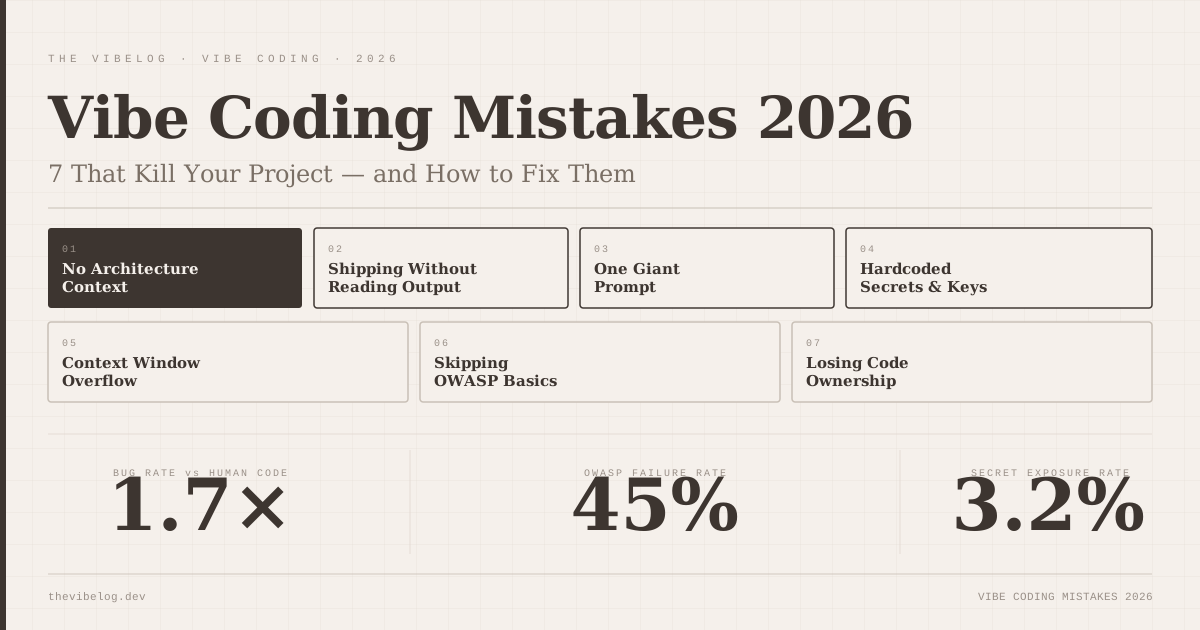
Vibe coding ships 1.7× more bugs than human-written code, according to independent testing. Not because the models are bad — because most developers are using them in ways that compound every weakness the models have.
I have hit most of these mistakes personally, a few of them on the same project, and watched others hit them repeatedly. Here are the seven that actually kill vibe-coded projects, with what each one looks like in practice and what you do instead.
Mistake 1: Prompting Without Architecture Context
The most consistent pattern in broken vibe-coded codebases is not bad prompts. It is context-free prompts.
You open a new session, ask for a user authentication module, and get something that works in isolation. Then you ask for a payment module in a separate session. Then a notifications system. Three months later, you have three different error-handling conventions, two different database client patterns, and a routing structure that only makes sense if you happened to write it all in one sitting. Nobody did.
AI models do not know what your codebase looks like unless you show them. They default to generating whatever pattern appeared most often in training data, which may or may not match what you already have. A model that is not shown your existing database layer will invent a different one — and it will look perfectly reasonable in isolation.
The fix is to include architecture context at the start of every session that touches existing code. Paste in your folder structure. Share the relevant files. Describe the conventions already in use — state management approach, error handling patterns, which libraries you are using and which you have deliberately excluded. Thirty seconds of context prevents an hour of refactoring later.
For anything larger than a single feature, maintain a short architecture document — even fifty lines covering your tech choices and conventions — and attach it at the start of every new session. The models follow instructions when you give them. Most developers never give them.
Mistake 2: Shipping Without Reading the Output
AI-generated code looks plausible. That is both the feature and the trap.
When you receive a wall of TypeScript that passes a quick manual test, the pull is to move on. It ran. It did the thing. The problem is that “it ran in the happy path I just tested” and “it is correct” are different statements.
The 1.7× bug rate documented in the vibe coding production analysis comes almost entirely from edge cases, error states, and implicit assumptions the model made about your data that are not quite true. Those do not show up in a smoke test. They surface at 2am on a Tuesday when a user does something slightly unexpected.
This one is the hardest to fix because it requires slowing down at the exact moment AI has made everything faster. The discipline is to read generated code the way you would review a pull request from a developer you trust but do not know — which means understanding every line well enough to explain what it does and why. If you cannot explain a section, either ask the model to explain it or write it yourself.
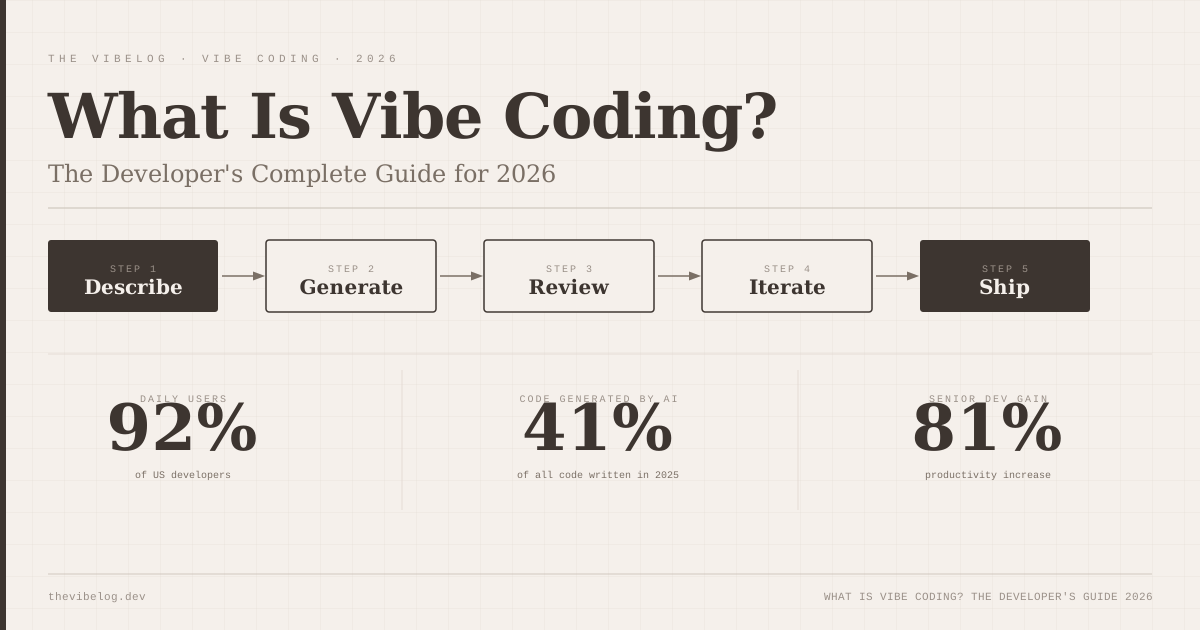
McKinsey’s 2026 research is instructive here: senior developers (10+ years) see 81% productivity gains from AI tools, while junior developers show no statistically significant improvement. The difference is not the prompting. It is the ability to evaluate output. Seniors review faster because they understand what they are looking at. Juniors approve code they cannot fully evaluate, and the bug rate follows.
Reading the output is not optional. It is the entire job now.
Mistake 3: Building in One Giant Prompt
The most common beginner mistake — and the one I see most often when people show me a broken project — is asking the AI to build too much at once.
“Build me a full e-commerce backend with user auth, a product catalogue, cart management, order processing, and Stripe integration.”
What comes back is a large, shallow implementation. It technically addresses each requirement. None of the pieces are well-integrated. Error handling is missing in non-obvious places. The auth does not properly gate the order endpoints. There is no meaningful test coverage. And because everything arrived in one block, there is no natural breakpoint to validate any individual piece before building the next.
The compounding problem is that errors layer on errors. If the auth module has a flawed assumption and everything else is built on top of that assumption, you are not debugging one problem. You are debugging a cascade where the root cause is buried under three layers of code you did not inspect.
This is the same reason experienced developers work in small, testable increments. The discipline translates directly. Break every feature into the smallest piece that can be tested independently, build that, verify it, then extend. “Add user registration with email and password, returning a JWT on success” is a prompt. “Build a full auth system” is a specification for a two-week project.
The workflow guide at how to vibe code in 2026 covers specific increment sizes that work well across different feature types — useful if you are establishing a cadence.
Mistake 4: Hardcoded Secrets and API Keys
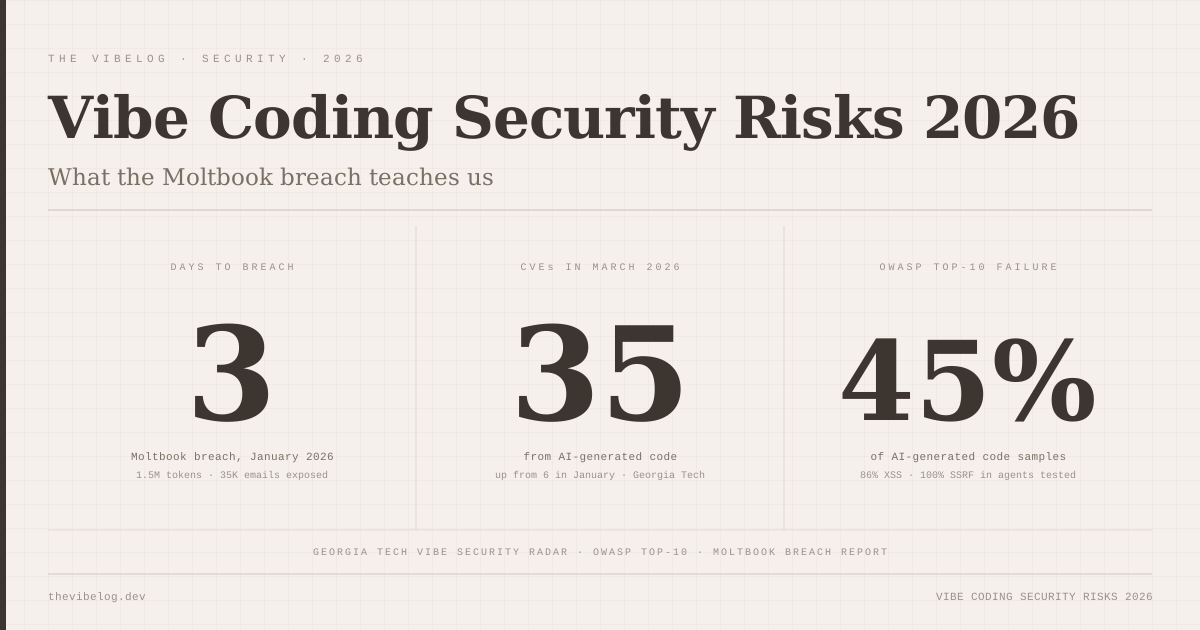
On January 28, 2026, an AI-built social network called Moltbook launched and gained traction quickly. Within three days, attackers had extracted 1.5 million API authentication tokens, 35,000 email addresses, and private messages from the production database. The exposure path was straightforward: AI-generated code had hardcoded credentials directly in the application. No secrets management. No environment variables. Nothing between the keys and anyone who knew where to look.
This is the mistake that feels embarrassing in the post-mortem and catastrophic in the present tense.
AI models default to generating code that works immediately. Hardcoding an API key makes the code work immediately. Using an environment variable requires an extra step the model will not take unless you ask for it explicitly. Independent research confirms the pattern: AI-assisted commits expose secrets at twice the rate of human-written code — 3.2% versus 1.5%. That gap is almost entirely explained by models optimising for functional code over secure code.
The mitigation is structural, not reactive. Before you write a single prompt, establish the secrets pattern your project will use. Set up a .env file and a .env.example. Add .env to .gitignore before anything else is committed. Then include in every session prompt that references external services: “All credentials must be read from environment variables. Never hardcode any key, token, or connection string.” Say it explicitly. The models follow the instruction when you give it.
Then run git-secrets or trufflehog on every commit before it reaches the remote. An automated check catches what human review misses. The deeper analysis on AI code security vulnerabilities covers the full spectrum of credential exposure patterns worth understanding before you ship anything public-facing.
Mistake 5: Context Window Overflow
This is the one that bit me the hardest, and I did not recognise it was happening for weeks.
Output quality in long vibe coding sessions measurably degrades after approximately 80% context fill. The model starts repeating implementation patterns you explicitly said you did not want. It generates code that contradicts something established three hours earlier in the same session. Responses get shorter and less specific. Asked to refactor a module, it refactors it in a way that undoes something it did correctly an hour ago.
I thought I was prompting poorly. Then I thought the model had a bug in a specific version. It took me an embarrassingly long time to connect the degradation to session length.
The mechanism is not the model “forgetting” in any human sense. When the context window fills, earlier content gets compressed or dropped from the effective attention window. The model is working from an increasingly incomplete picture of what it has already built. The earlier architectural decisions — the patterns, the conventions, the explicit requirements — become less present in the model’s working state.
The fix is to treat each major feature as a separate session. Before ending a session, ask the model to generate a handoff summary: the current state of the feature, the decisions made, the patterns established, any open questions. Start the next session by providing that summary as context rather than the full previous conversation. You get continuity without the quality cliff.
A practical early signal: if the model starts generating boilerplate that does not match the style of the rest of the project, or produces something you are confident you already addressed, check how deep into the session you are. Above 80%, start fresh.
Mistake 6: Skipping OWASP Basics
XSS vulnerabilities appeared in 86% of AI-generated code samples tested across five major large language models. Forty-five percent of AI-generated code fails OWASP Top-10 security checks in aggregate. These are not fringe failure cases — they are the default output without explicit security instruction.
The most common failure in production vibe-coded codebases is SQL injection from direct variable interpolation:
// What the model generates without explicit instruction
const query = `SELECT * FROM users WHERE email = '${userEmail}'`;

// What it should generate
const query = 'SELECT * FROM users WHERE email = $1';
const result = await db.query(query, [userEmail]);
The first version works in every normal test. It fails catastrophically the moment a user submits ' OR '1'='1 as their email address. The model generates the first version because it is shorter and because the happy path works. The model does not know that your application is public-facing and that users will not always behave like test data.
The fix is to name the security requirement explicitly in your architecture context. “Use parameterized queries for all database operations. Never interpolate user input directly into SQL strings.” Include that in the document you attach to every session that touches data persistence.
Beyond SQL injection, two other failures to check for in every AI-generated feature:
- Unescaped user input rendered in the DOM — this is the XSS path. If user-provided content appears anywhere in your UI, verify the framework is escaping it or that you are escaping it explicitly before render.
- Missing authentication checks on API endpoints — models generate the endpoint logic and frequently omit the auth middleware. Every endpoint that touches user data needs to be checked against your auth requirements before it ships.
A ten-minute security pass before a new feature goes live is the difference between a boring deployment and being Moltbook.
Mistake 7: Losing Code Ownership
This one does not cause an immediate incident. It causes a slow erosion that shows up six months later when something breaks and nobody on the team knows how to fix it.
Losing code ownership means shipping an application you cannot explain, extend, or debug without AI assistance. You know what the app does. You do not know how it does it. When a bug surfaces in the payment module, you paste it into a new session, ask for a fix, and deploy whatever comes back — because reading the original code would take too long.
That cycle works until it does not. The AI-generated fix for a bug in AI-generated code, in a session with no context about the original implementation, generates a patch that addresses the symptom and introduces a different problem. Three rounds of this and you have a module where contradictory assumptions are stacked on top of each other, and neither you nor the model can reason about the whole thing coherently.
The discipline is to understand every module before it goes to production, even if you did not write it. Not memorise every line. Understand what it does, what it assumes about inputs, and what happens when those assumptions are violated. If you cannot do that for a piece of AI-generated code, the code is not done yet — it is a draft.
This is also why the McKinsey finding about experience levels matters beyond the obvious interpretation. The senior developers seeing 81% productivity gains are using AI to execute implementations they already understand how to build. The AI is accelerating the writing. The junior developers showing no statistical gain are often using AI as a substitute for understanding — and the output reflects that gap six months later.
Ownership does not mean writing everything from scratch. It means being able to maintain and debug what you ship.
The Pattern That Prevents All Seven
Every one of these mistakes comes from the same source: treating AI as a vending machine rather than as a collaborator who needs context, direction, and checking.
Developers who avoid these mistakes consistently do three things. They give context before generating — architecture, conventions, explicit security requirements. They review before shipping — reading the code, testing edge cases, running an OWASP pass. And they work in increments small enough to verify individually before stacking the next piece on top.
That is not seven separate habits. It is one habit applied at three points in the workflow.
The tools are genuinely good. According to the 2026 Stack Overflow Developer Survey, 92% of US developers now use AI coding tools daily — that adoption rate reflects real productivity. Bolt.new generates clean, TypeScript-typed code with modular component architecture. Claude Code reasons about multi-file refactors that would take most of a day manually. Lovable produces full-stack applications from a single prompt.
None of that changes the arithmetic on the review step. AI-generated code ships 1.7× more bugs when that step is skipped. The statistic exists because the step gets skipped constantly.
The developers who close that gap are not using different tools. They are using the same tools with the discipline to read what comes out before it goes live.