You can open Google AI Studio today, describe an Android app in plain language, and have a running Kotlin/Jetpack Compose app in an emulator before you finish writing the description. That was not possible before Google I/O 2026 on May 19. It is possible now, and it is the most concrete change in a release that also shipped the Managed Agents API, Workspace integrations, and one-click Cloud Run deployment.
Google AI Studio has existed as a model-testing interface for two years. You could experiment with Gemini, test prompts, see API outputs. What it was not — until this release — was a development environment. The I/O 2026 update is Google making the case that “build here, ship from here” is now the complete workflow for a meaningful class of applications, not just a demo.
Android App Generation — The Actual Workflow
The Build tab in Google AI Studio now includes an “Build an Android app” option. The workflow is specific enough to be worth walking through:
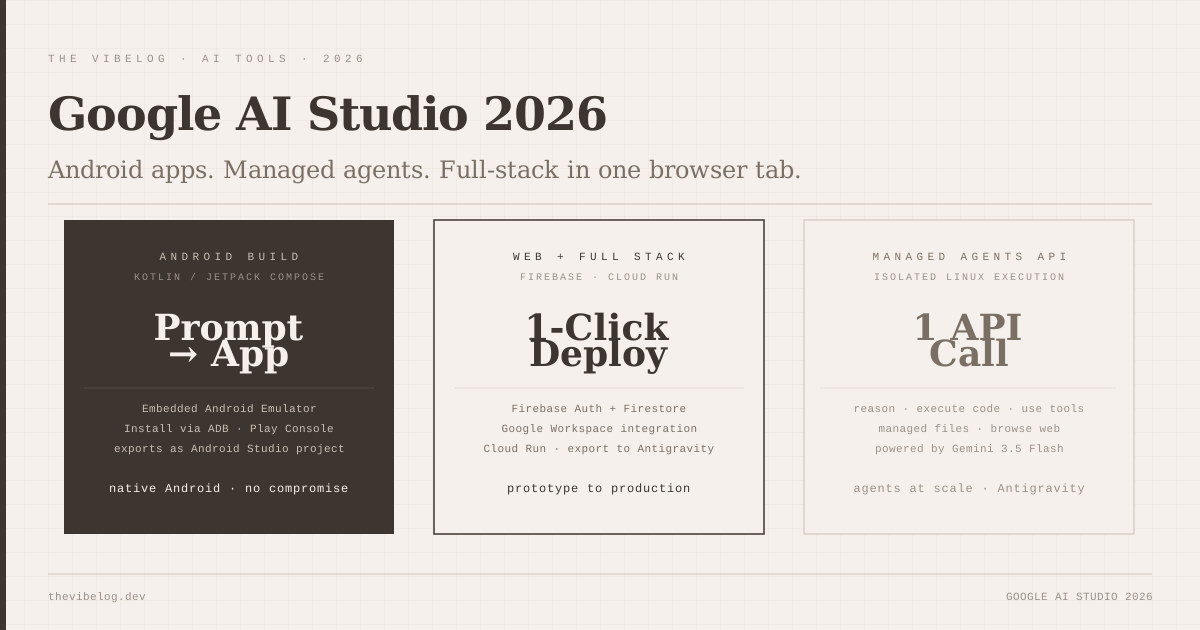
You describe the app — screen layout, functionality, data requirements — and AI Studio generates a full Kotlin application using Jetpack Compose patterns. The generated code follows Android best practices: proper Compose component structure, Material Design 3 components, ViewModel architecture where appropriate. It is not a simplified no-code output. It is a Kotlin codebase a developer would write.
An embedded Android emulator runs the app automatically when generation completes. You see the running application in the browser, can interact with it, and can revise by prompting further. When the app behaves correctly, you have two paths out: install to a physical device via Android Debug Bridge, or publish directly to an internal testing track in Google Play Console.
The Google Play Console integration removes the single most tedious step in Android development for developers who were not previously maintaining an active Play Console account — the initial setup, signing keys, and track creation that must happen before you can distribute anything. AI Studio handles that path as part of the workflow.
The code exports as a standard Android Studio project. You are not locked into AI Studio for continued development. For developers who prototype in AI Studio and then want to work in a proper IDE with full tooling, the export is clean.
As a comparison point for the vibe coding in production question that comes up in every “build with AI” conversation: the generated code is production-quality Kotlin/Compose, not a quick prototype. The architecture choices — component structure, state management, navigation — follow what an Android developer would write. Whether it is production-ready depends on the complexity of the app, but the starting point is significantly better than what most code generation tools produce for platform-specific mobile code.
The Managed Agents API — One Call, Isolated Linux Environment
The Managed Agents API is the most developer-significant launch from I/O 2026 for teams building agentic applications.
The premise: a single API call provisions an isolated Linux environment where an agent powered by Gemini 3.5 Flash can execute code, manage files, use external tools, and browse the web. You describe the task and the tools available. The agent reasons, executes, iterates, and returns a result when complete.
This removes the infrastructure overhead that has made self-hosted agentic systems difficult to deploy at scale. Previously, running an AI agent that could execute arbitrary code required either a sandboxed execution environment you managed yourself — with all the security, resource management, and failure-handling complexity that involves — or a third-party managed solution with its own pricing model and integration requirements.
As discussed in the agentic coding guide, the pattern of “reasoning model plus code execution plus tool use in a loop” is the core of most practical agentic applications. The Managed Agents API provides that loop as infrastructure rather than something you build. The agent inside the environment has access to the Gemini 3.5 Flash reasoning model and the same tool integrations available in Google AI Studio — web search, code execution, file operations.
The API is built on Antigravity, which Google shipped as version 2.0 simultaneously. Antigravity is the standalone platform for teams that want more control: it includes a CLI, SDK, managed execution, and enterprise support. The AI Studio Managed Agents API is the same capability exposed through a simpler interface.
Full-Stack Deploy — Workspace, Firebase, Cloud Run
For web applications, Google AI Studio now supports a complete deployment pipeline that previously required leaving the tool:
Workspace integration connects your Google Workspace context — Drive files, Calendar events, Gmail threads, Docs — directly into AI Studio’s development environment. Applications that need to read or write Google Workspace data can access that integration without building OAuth flows separately. For business tools — custom internal apps, workflow automation, admin dashboards — the Workspace integration removes the single biggest integration overhead.
Firebase services are directly available for database, authentication, storage, and hosting. You can add Firebase Auth to a generated app without leaving AI Studio, and the resulting code handles the Supabase-equivalent zero-configuration pattern that competing platforms use as a selling point. Firebase Auth and Firestore are supported natively.
Cloud Run deployment ships with one click. Generated web applications and agents deploy to Google Cloud Run without a Cloud console detour. For teams already running infrastructure on GCP, this is the integration path that makes AI Studio relevant as a production tool rather than a prototyping environment.
Export to Antigravity is available when you need the full agent development platform. If you start a project in AI Studio and reach the limits of the browser-based interface — complex multi-agent systems, enterprise authentication requirements, custom infrastructure — exporting the project state to Antigravity preserves everything and gives you the CLI and SDK tooling for continued development.
How This Compares to Lovable, Bolt.new, and v0
The honest comparison requires splitting by application type.
For web applications, AI Studio is not the strongest option. Bolt.new’s IDE-like interface with full file visibility and native authentication gives developers more control over the output. Lovable produces cleaner UI code and has a more mature Stripe and Supabase integration story. v0’s UI quality is the benchmark for component-level work. AI Studio’s web output is competent and Firebase integration removes friction, but the field is established and competitive.
For Android applications, there is no meaningful alternative. No other major platform in this category generates production-quality Kotlin/Jetpack Compose code with emulator integration and Play Store deployment. If you are building an Android application, AI Studio is now the obvious starting point.
For agentic applications running on Google Cloud infrastructure, AI Studio with the Managed Agents API is the clearest path. The Workspace integration, Cloud Run deploy, and managed Linux execution environment are designed around GCP. If your team already runs on GCP, the infrastructure alignment is significant.
For teams that need both Android and web, AI Studio’s ability to generate both from the same environment with the same deployment pipeline is a practical advantage — two product surfaces from one tool with consistent integration.
Gemini 3.5 Flash as the Foundation
AI Studio runs on Gemini 3.5 Flash throughout — the model Google launched at the same I/O keynote. As covered in the Gemini 3.5 Flash guide, the model scores 83.6% on MCP Atlas for agentic tool use — the highest of any current model — while running at 289 tokens per second. For a development environment where generation speed directly affects how quickly you can iterate on a prompt-to-app workflow, 4× faster output has a meaningful effect on the experience.
The MCP Atlas lead matters specifically for the Managed Agents API use case. If the agent powering isolated Linux execution is the current best model on agentic tool-use benchmarks, the underlying model is well-matched to the infrastructure it is running.
Pichai’s phrase from the keynote — “frontier intelligence at Flash speed” — is accurate in the AI Studio context. The app generation is fast. The agent execution loop is fast. The reason is the model underneath.
The Antigravity Question
Antigravity 2.0’s simultaneous launch creates an interesting positioning question for Google. AI Studio is the entry-level browser interface; Antigravity is the enterprise-grade agent platform. The export connection between them means the expected path is: prototype in AI Studio, scale in Antigravity.
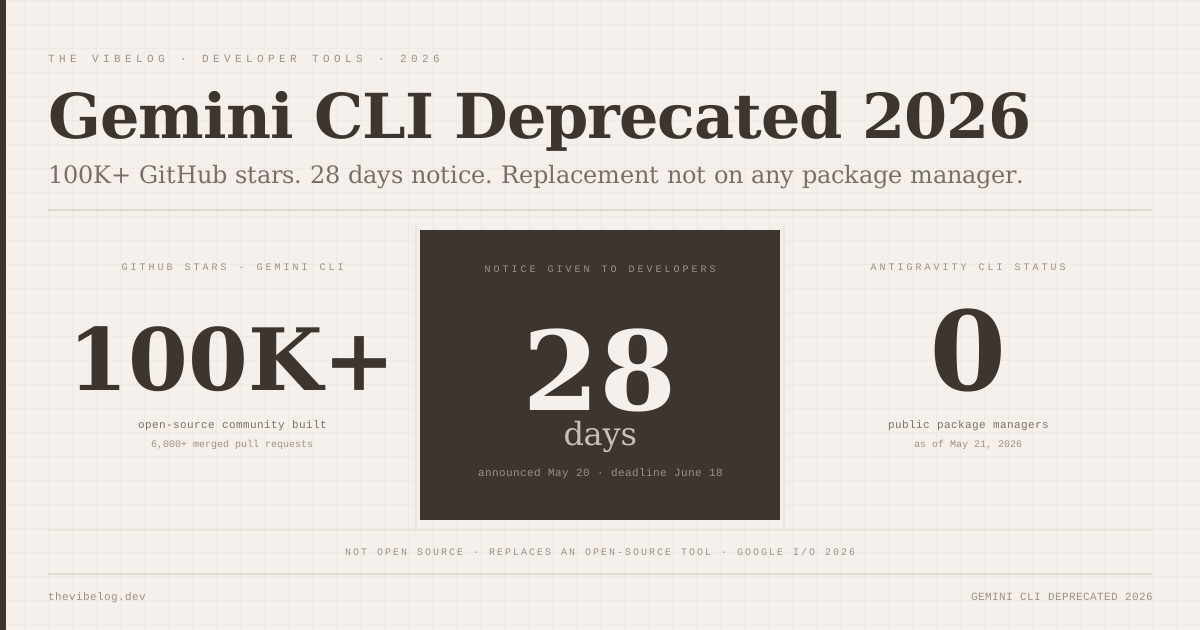
As noted in the Gemini CLI deprecation post this blog covered recently, Google is consolidating its developer tooling around Antigravity. Antigravity 2.0 is closed-source and available through Google’s developer program rather than on package managers — the opposite of the open-source, community-driven approach that made Gemini CLI a 100K+ star tool. That decision has drawn criticism, and whether Antigravity builds the developer community that Gemini CLI had will depend on whether the closed-source managed platform delivers enough value to substitute for the transparency of an open tool.
For developers evaluating Google’s developer tools in mid-2026: AI Studio with Managed Agents and the new deployment integrations is the practical starting point. Antigravity is worth watching as the enterprise trajectory, but its availability and documentation are still catching up to the I/O announcement.
What to Build First
The most immediate use cases where Google AI Studio’s I/O 2026 updates change what is practical:
Android companion apps to web products: Teams that already have a web application and need an Android equivalent can now generate a Kotlin app from the same product description, test it in an emulator, and ship to internal testing in hours. The gap between “we should have an Android app” and “we have an Android app” just got significantly smaller.
Google Workspace automations with a UI: Custom internal tools that read Google Drive, calendar, or Gmail data traditionally require a full OAuth implementation and infrastructure to host. The Workspace integration in AI Studio handles the OAuth layer; Cloud Run handles the hosting. The tool is a prompt away.
Rapid agentic prototypes: The Managed Agents API is the fastest path to a proof of concept for an agent that executes code, manages files, and uses tools — without building the execution infrastructure yourself. For teams evaluating whether an agentic workflow makes sense for a specific use case, having a working prototype in hours rather than days changes the decision timeline.
Android app generation features from Android Developers Blog, May 19, 2026. Managed Agents API details from Google Developers Blog I/O 2026 developer keynote summary. Antigravity 2.0 from MarkTechPost coverage of Google I/O 2026, May 19, 2026. AI Studio feature overview from developer-tech.com and 9to5google.com coverage, May 2026.